
From measured scope to agreed price, with the decisions kept on the record.
“How did you get that number?” is a perfectly reasonable question. It becomes an enjoyable one when you have a good answer.
You can trace a quantity to a drawing, explain the rate used to price it and show which scope a bidder actually offered to cover. When the job changes, you can review what changed before sending the next number into the world.
That is the kind of preparation that lets you sit back a little in the meeting.
Estimates by BidPointX connects that work across takeoff, configurable estimate tables, company pricing, bid packages, signatures and commercial records. Its strongest features help you keep the reasoning close to the price, all the way from measuring the work to preparing what happens next.
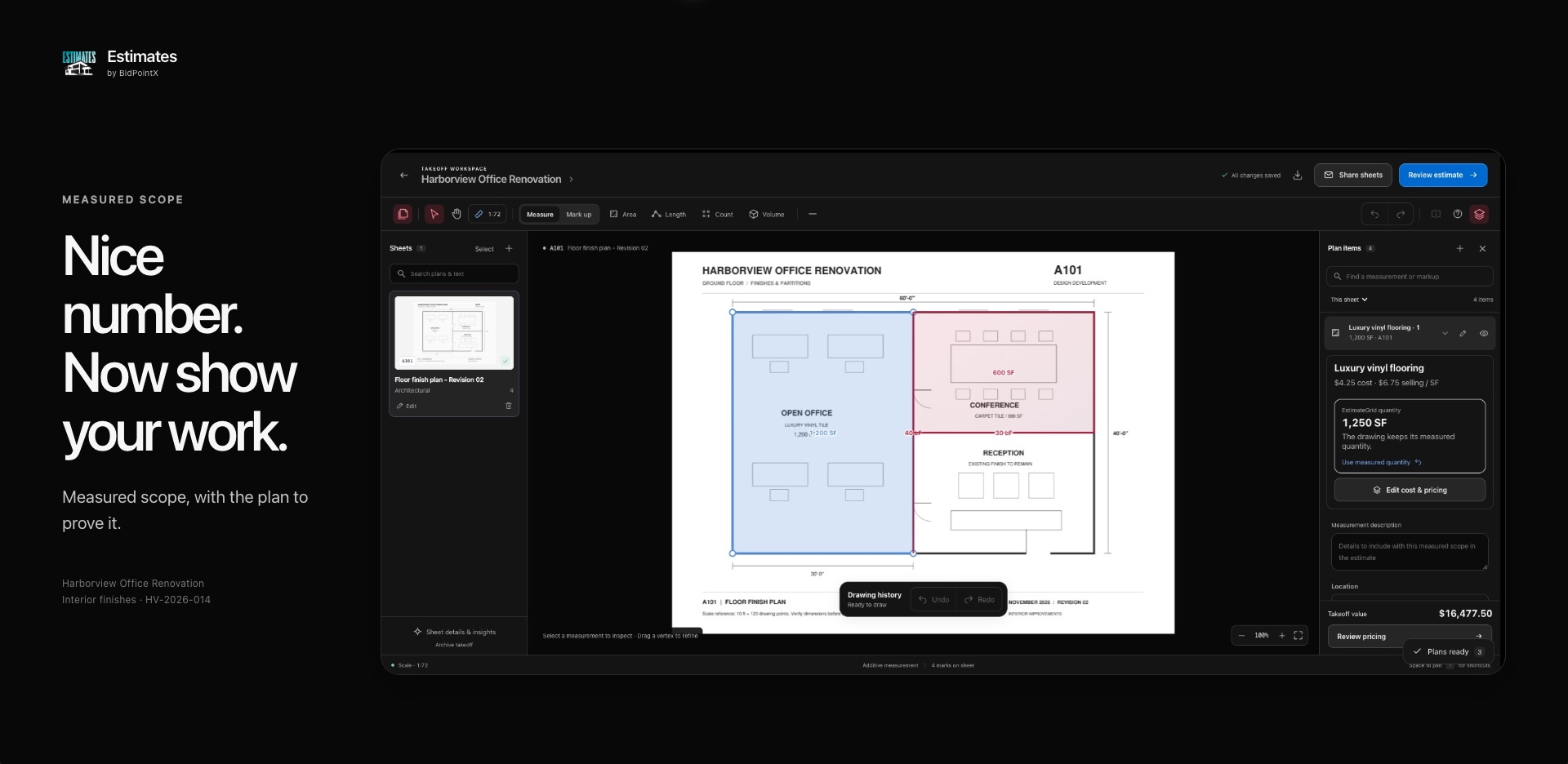
Measurements That Survive a Follow-Up Question
Square footage is much more persuasive when it can point to a room.
Takeoff lets you calibrate a drawing and measure area, length, counts and volume. Deductions, repeated quantities, depth and waste allowances stay with the measured scope. If you trace before setting the scale, applying the calibration recalculates the existing measurements.
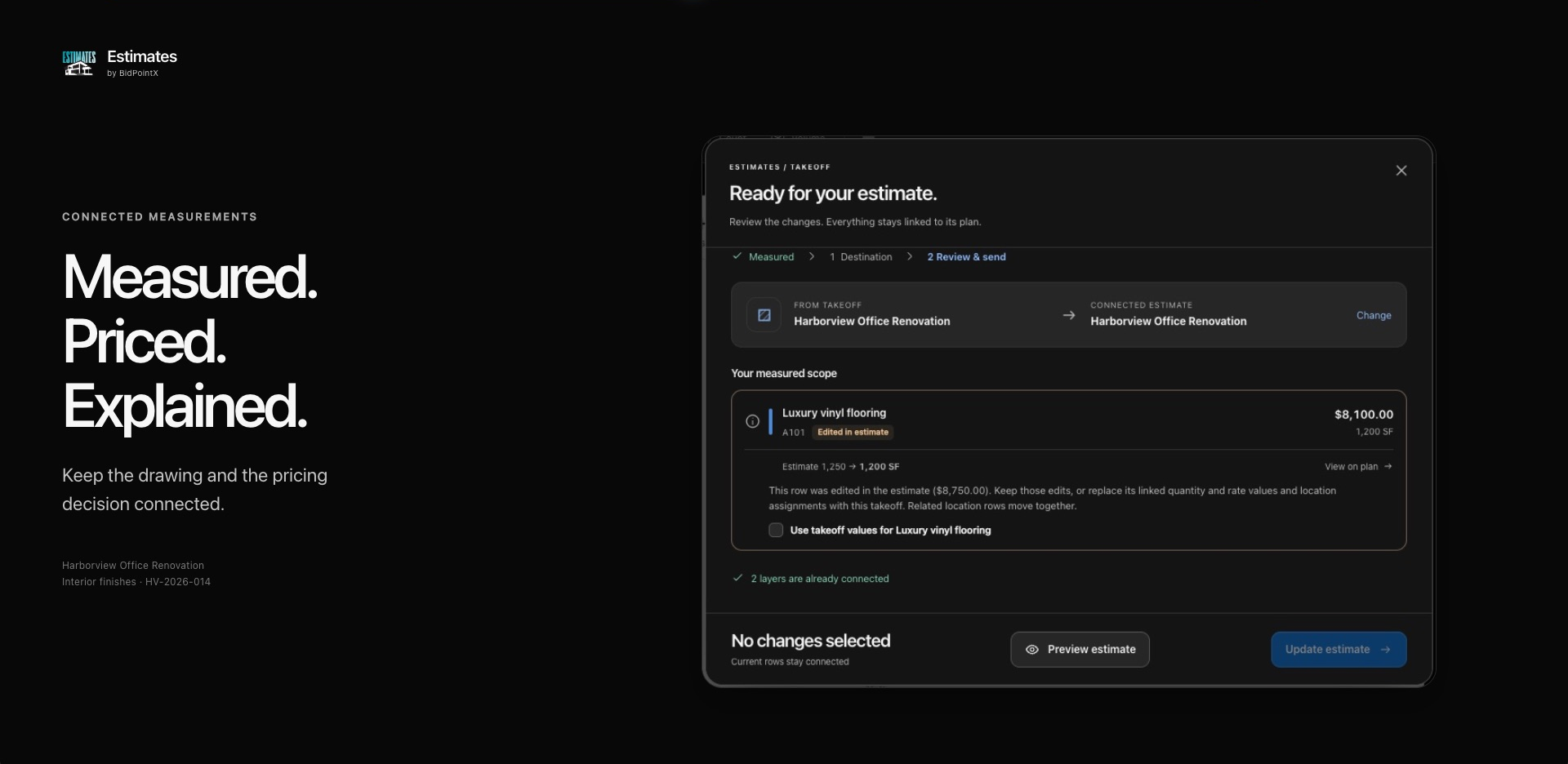
Those quantities can become linked estimate rows through a review of the scope and pricing. Open a linked row and you can return to its source sheet. Revise the takeoff, review the changes and update the original row while keeping unrelated notes and cells.
There is also room for an estimator to make a commercial decision. If you choose to price a different quantity in the grid, the connected takeoff records that as a priced-quantity override. The measured quantity remains visible, and the drawing geometry stays intact.
You can explain both what you measured and what you decided to price. They are allowed to be different, provided you can explain why.
A Rate Library With a Past
A useful rate includes the assumptions that made it useful.
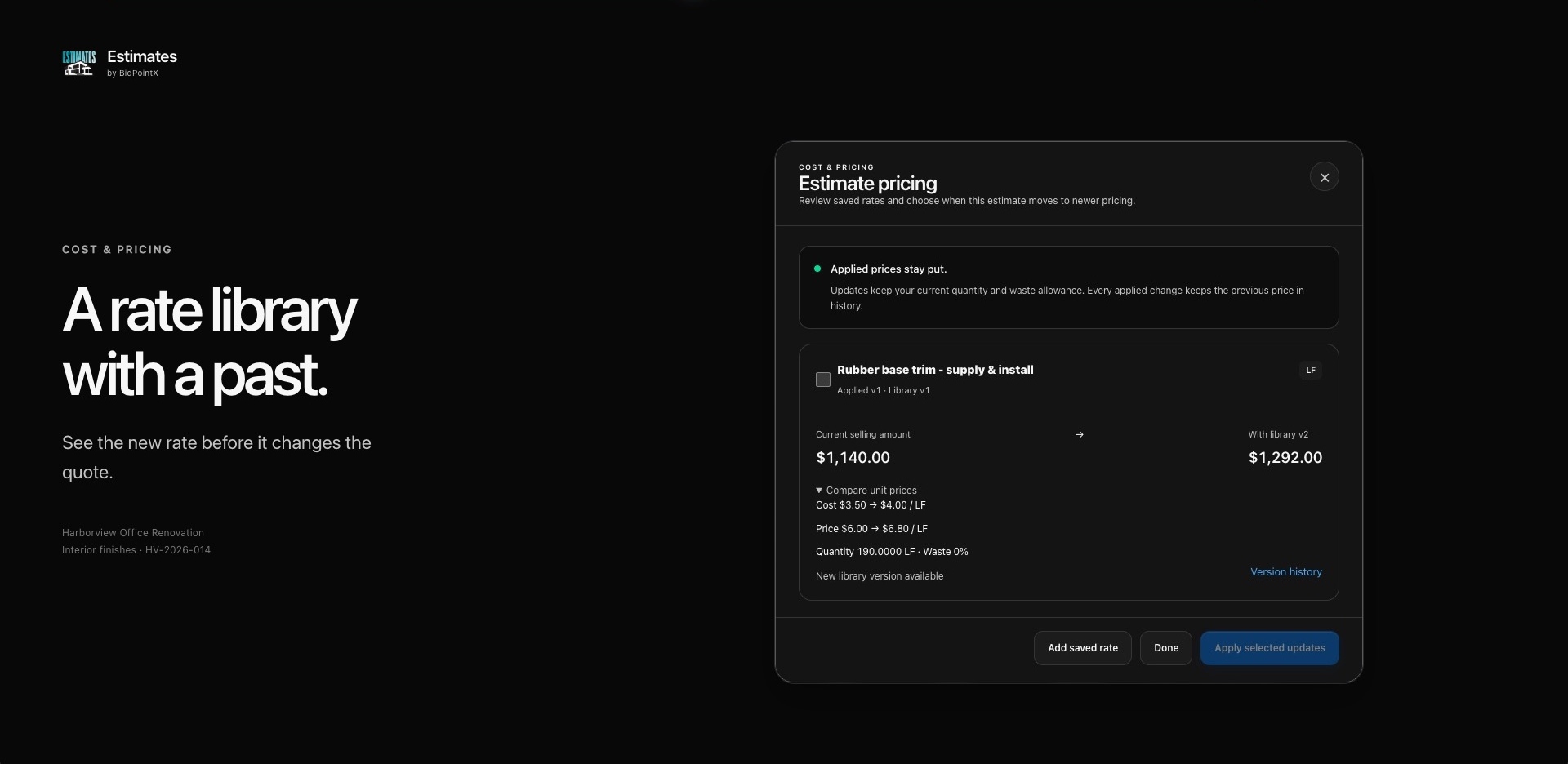
The company’s Cost & Pricing library lets you save unit costs and choose cost-plus-markup or a fixed unit selling price. You can keep cost codes, source references and scope assumptions with the rate, then apply saved pricing to estimate lines.
The grid gives those rates somewhere practical to work. Configurable columns, nested rows, formulas and estimate summaries let you structure the job around how your company estimates. Supporting files and notes can sit beside the relevant scope, and templates give the next estimate a familiar starting point.
When prices change, applied rates retain their history. Saved rates & history shows the version used, the newer library version and the proposed effect on selling amounts. You choose which updates to apply. Replacing a manually edited price takes an explicit acknowledgement.
Updating a library rate does not quietly rewrite an existing estimate. Your supplier can introduce a new price without also editing your memory of the old one.
The Cheapest Bid Deserves a Second Question
A low number gets more interesting once you know what it has politely left out.
Estimates lets you build bid packages from defined estimate scope and invite bidders to respond. Their quantities, prices, inclusions, exclusions and qualifications give you something substantial to compare.
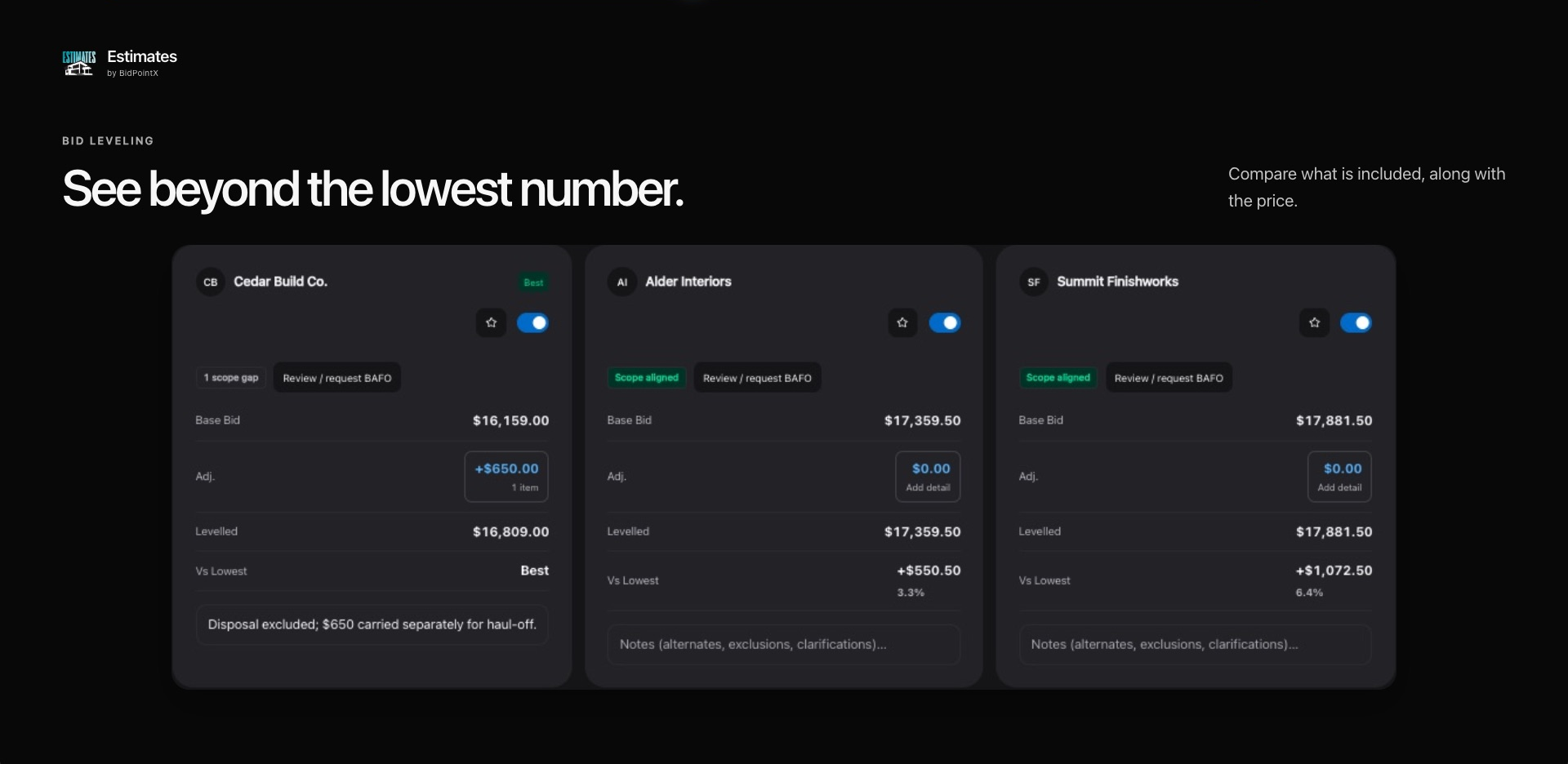
Bid leveling brings that detail alongside your estimate allowance. You can inspect coverage line by line, spot missing prices and review exclusions before deciding what a bid really means for the job.
Say one bidder includes disposal and another excludes it. You can add an internal adjustment for the excluded work and record the reason. The submitted bid remains separate from your adjustment and the levelled total. You have made the comparison more useful without rewriting what the bidder offered.
For structured bid-form submissions, the award review checks the current scope, required pricing and signatures. Excluded work needs an acknowledgement explaining how it will be handled.
The winning number can come with an explanation. That is considerably more useful than a circle around the smallest total.
Give “Approved” a Version Number
A signature is much more useful when everyone agrees what it was attached to.
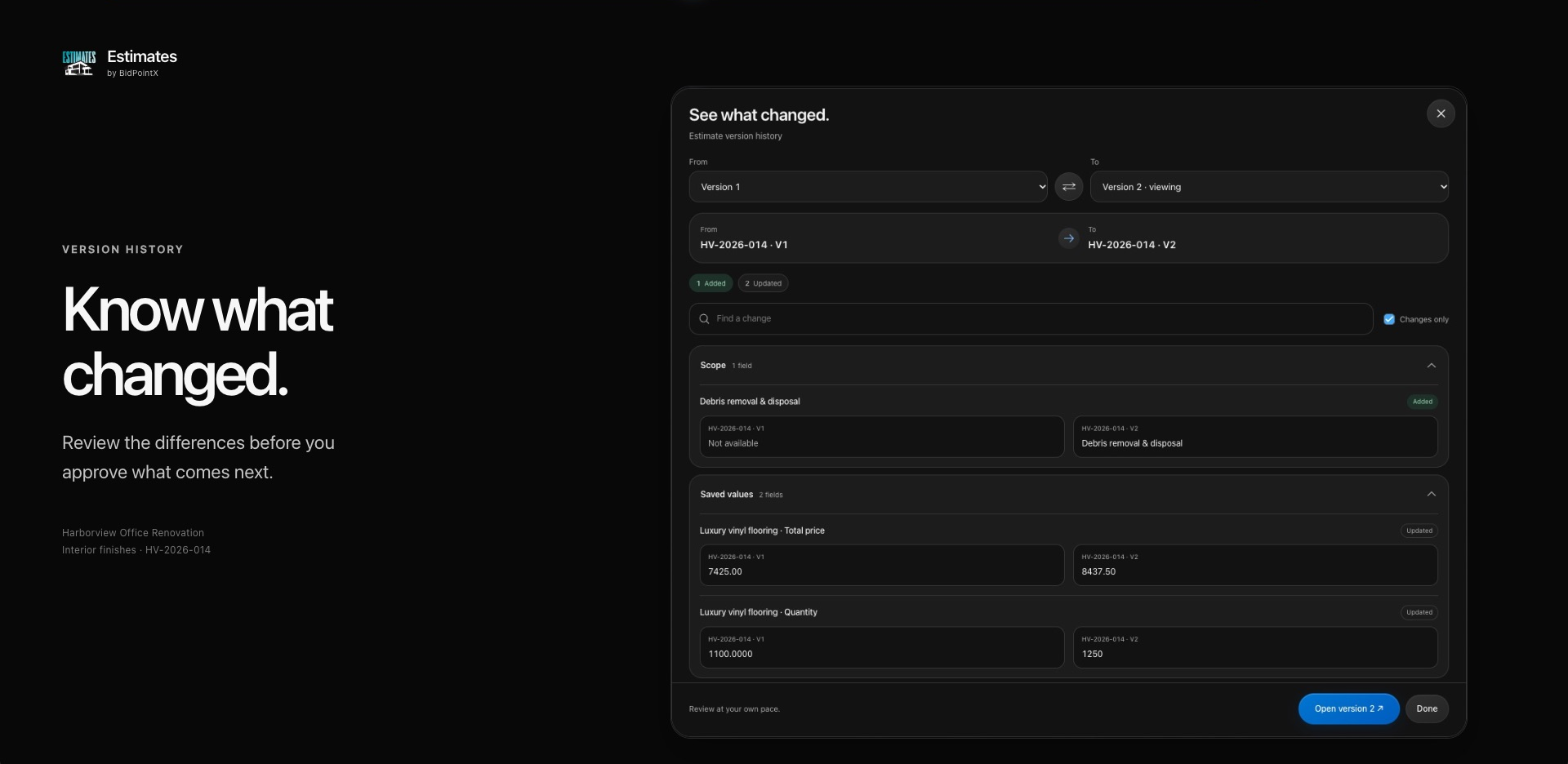
Estimate versions let you review the work as it changes. The comparison shows additions, removals and updated values, with before-and-after details across scope, columns, saved values and supporting records. Looking at the differences does not change either version.
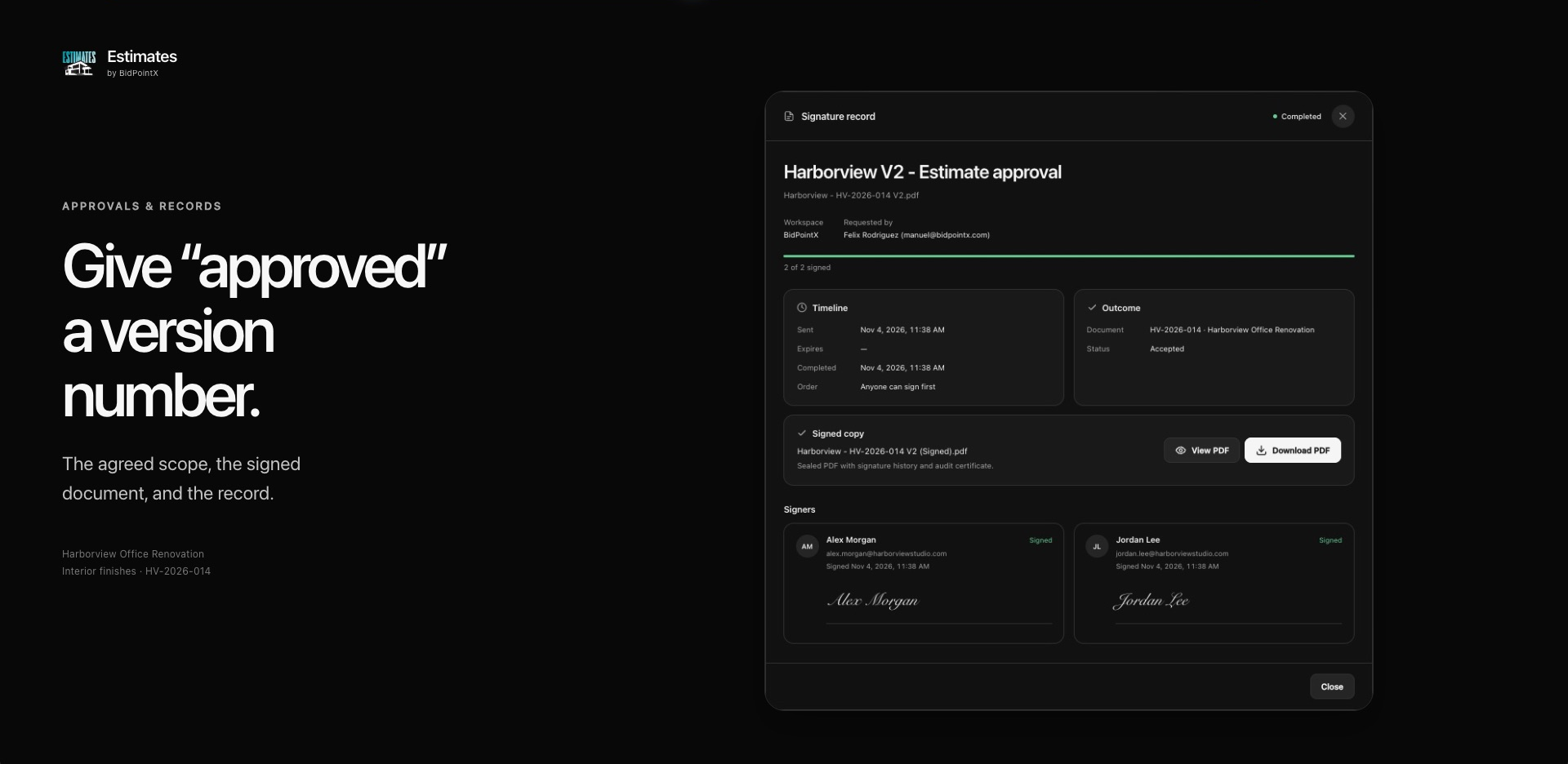
When you request an estimate signature, the process uses a PDF snapshot and supports parallel or sequential signers. Once all required signers finish, the completed PDF includes certificate pages and the linked estimate is marked accepted.
Bid submissions have their own scope checks. A confirmation relates to the specific scope issued. If the issued scope changes while a bid packet is awaiting signatures, a new response revision is required. Earlier signed revisions remain available.
That gives the team a practical way to answer two different questions: what changed, and what was actually agreed?
Carry the Scope Past the Handshake
There is a nice moment when the estimate starts becoming actual work. The scope should get to come with you.
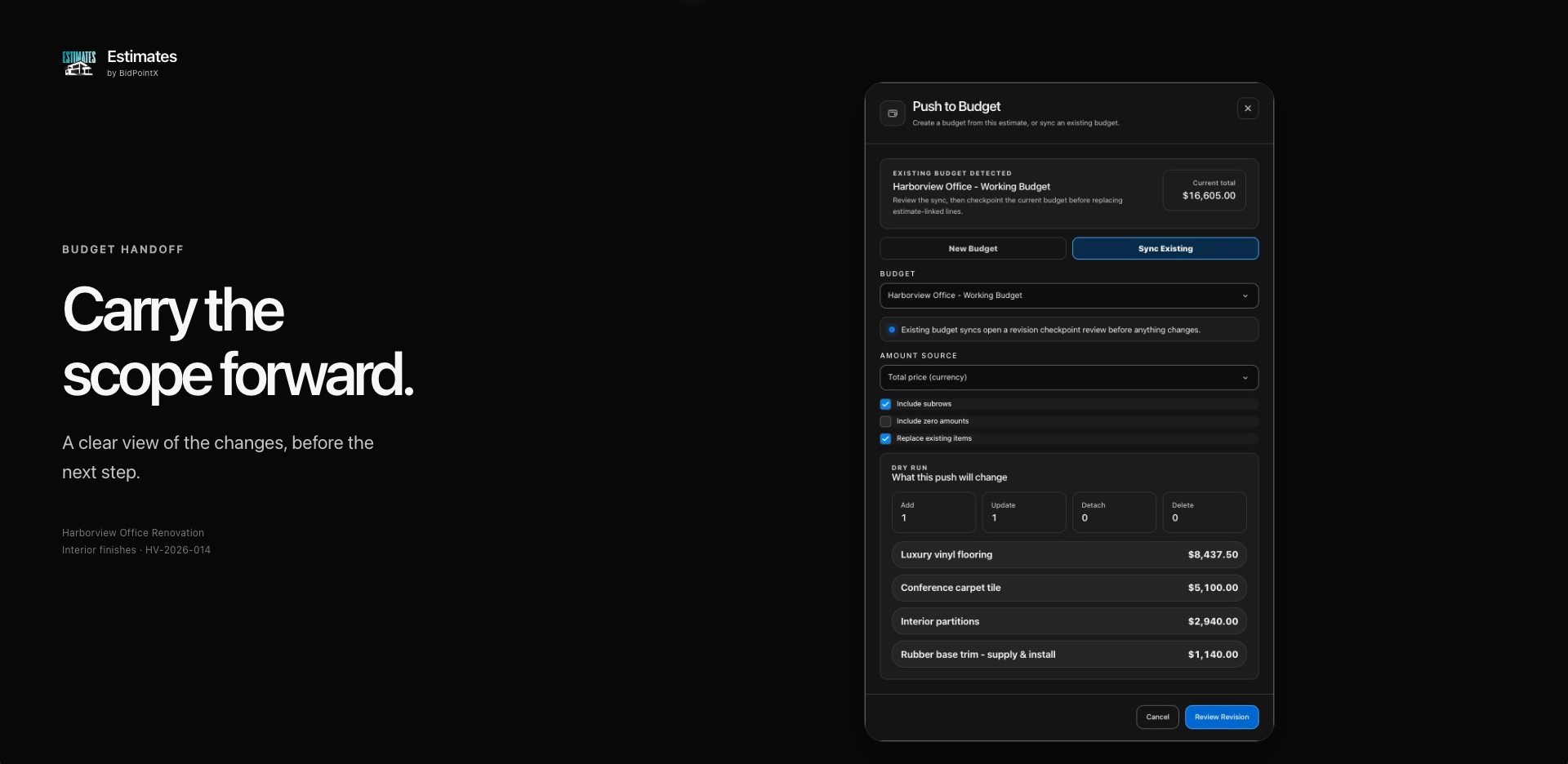
Push to Budget lets you create a budget from the estimate or sync an existing one. You select the amount source and preview the additions, updates and other changes before applying them. An existing-budget sync can include a restorable checkpoint, so the handoff has a review and a history.
Contract creation has its own pricing review. You can inspect the selling amounts and source lines, address outstanding issues, and choose a draft or signature delivery. Measured contract lines retain a route back to their takeoff.
The pricing review shows internal costs and gross margin; the customer-facing contract carries the scope, quantities, units and selling prices.
Reviewed contract prices lock while signatures are in progress and after execution. Later library changes do not quietly change the contract.
You have already done the work of defining the job. Carrying it forward should feel like progress.
Let the Estimate Meet the Crew
The crew has a fair interest in what was promised.
For workspaces that also use InvenOps, accepted estimate scope can become a draft loadout for field preparation. The connection can bring inventory, assets, field forms and a job destination into the workflow.
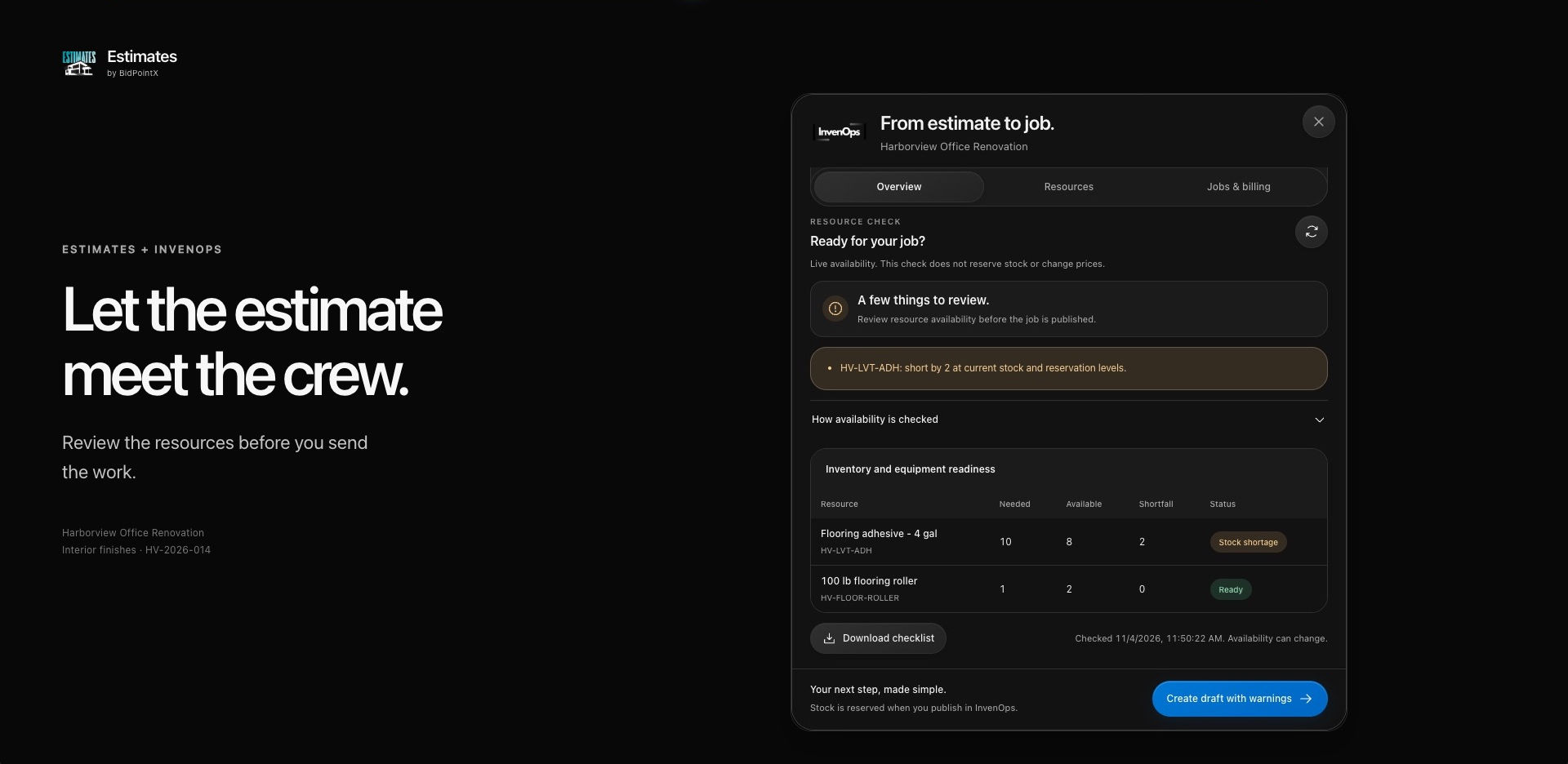
Before creating the draft, the readiness review checks saved linked quantities and shows stock shortages, equipment assignments and scheduling conflicts. The estimate’s dates can provide an equipment planning window. Inventory is reserved when the job is published in InvenOps, so reviewing availability does not quietly commit the stock.
Once connected, the panel can show job progress, billing and permitted financial information. Reviewed version workflows also help you compare later estimate and job changes while retaining the original progress and billing records.
That gives the handoff some substance. The agreed scope can travel with the work, and the estimating team has a way to see what happened after the number left the meeting.
The Follow-Up Questions Are Welcome
An estimate earns its place in the business by staying useful after the total is calculated. That means being able to find the measurement, understand the pricing decision, compare what was offered and carry the agreed scope into the next stage of work.
The next time someone asks where the number came from, you can show them. Then get on with discussing the job.