
Competence is a hell of a sales pitch.
A client asks where things stand and gets an answer. Their appointment has the right service, the right person and a time that actually works. When they come back, you can pick up the conversation.
That is a business people feel comfortable dealing with. It also feels pretty good to run.
InterFace by BidPointX puts requests, bookings, conversations and client tools in one company workspace. The four screens here show the idea in practice: see what needs you, get it scheduled, keep talking and find the tools to finish
Give “It’s Being Handled” Some Supporting Evidence
“It’s being handled” is reassuring. Knowing who is handling it, and what happens next, is considerably more useful.
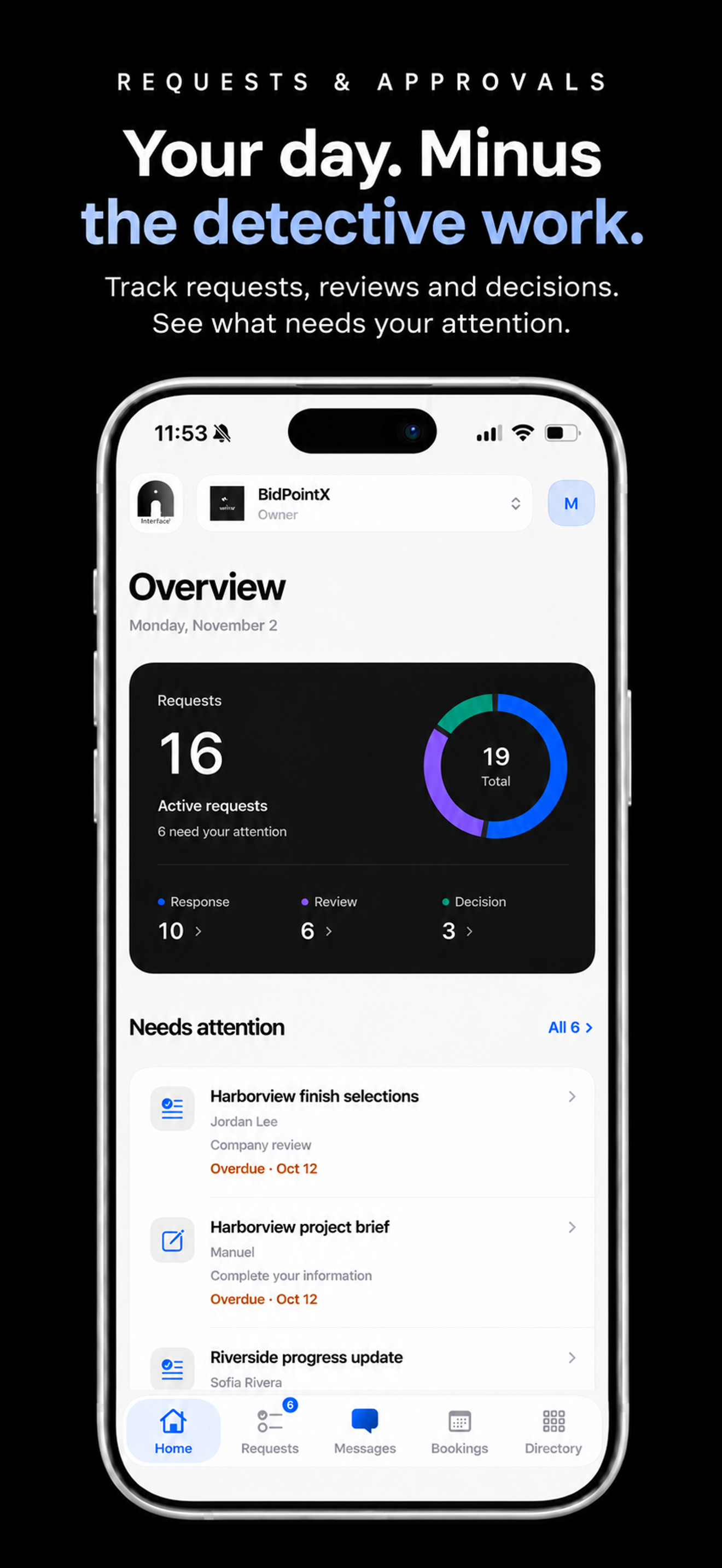
Open the Overview and requests are organized around three stages: Response, Company review and Decision. You can see which ones are waiting for an answer, ready for review or already have a decision. Tap a stage to get to the corresponding requests.
The Needs attention list focuses on your part of the work. It brings forward work you can respond to or review, with overdue items first. A request someone else needs to review does not become your homework just because you opened the app.
A request can also carry its own review process. Say a client submits a project brief. The assigned reviewer can ask for a missing detail, the client can update the same form, and the request can move through the next review to a recorded decision. Earlier responses and the history stay attached.
For processes that need several people, you can set up company and customer handoffs, name the reviewers and choose whether one person’s review is enough or everyone needs to weigh in.
The next time a client asks for an update, there is something concrete to tell them.
A Calendar With a Grip on Reality
An appointment is a promise with a time attached. It helps if the calendar understands what you just promised.
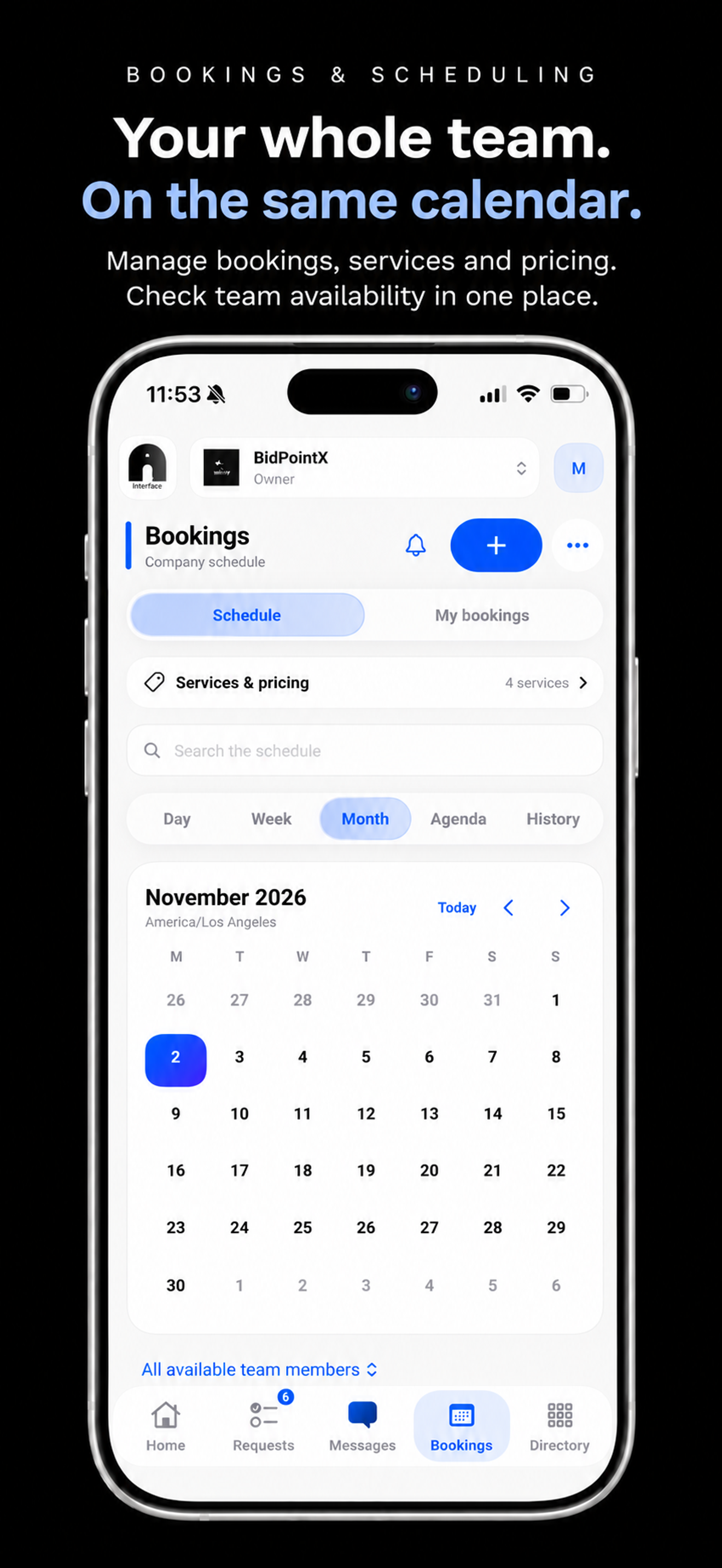
Bookings brings the company schedule together with services, prices and team availability. You can move between day, week, month and agenda views, then narrow the schedule to the staff you need to see.
A service can have a duration, a price, a location and buffers before or after the appointment. A 30-minute consultation with ten minutes to prepare is allowed to occupy 40 minutes of someone’s actual life. A reasonable concession to reality.
Staff hours and time off feed into availability, along with existing appointments and those buffers. If a colleague works across locations, the availability checks account for their other bookings. Recurring appointments check each occurrence, so a clear first Tuesday does not get to speak for every Tuesday after it.
Change a service’s price and the new rate applies to new bookings. You choose whether to apply it to eligible upcoming appointments, too. Historical and started appointments keep their recorded prices, and rescheduling preserves the agreed price.
Last Tuesday does not need a revised price list.
A Good Memory You Can Search
Good service gets a little easier when you can remember what was said.
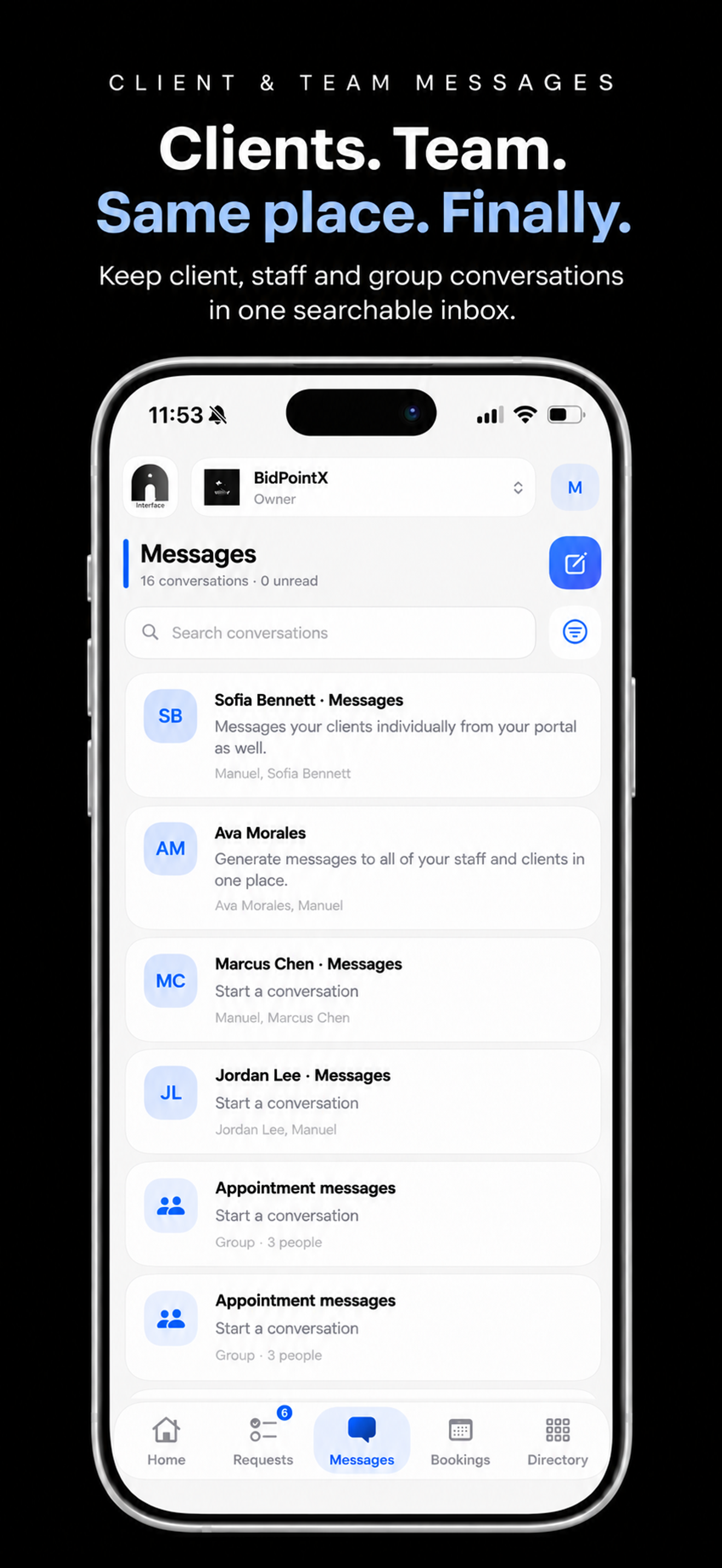
Messages keeps direct client conversations, staff conversations and groups in one place. Search finds the thread you need. Pin the ones you return to, or mark a conversation unread when you have seen it but still owe it a proper response. Reading something and dealing with it are different achievements.
The appointment connection is especially useful. Open a conversation from a booking and it can include the customer, the assigned employee and authorized booking administrators. It appears in Messages, too. When the same client comes back to the same employee, the conversation continues in that thread.
So the discussion about last month’s visit is still there when this month’s appointment comes around. A quick read gives you the context to pick up where you left off.
Photos, files and appointment references can stay in the conversation. Access still follows each person’s permissions. Forms can be shared there as well, opening the actual request so the recipient can take the next step.
A client can ask about a form and get to the form. Your team can discuss an appointment and keep its details within reach. The conversation has somewhere useful to go.
A Clear Setup Deserves Another Client
Knowing where to go is a feature in its own right.
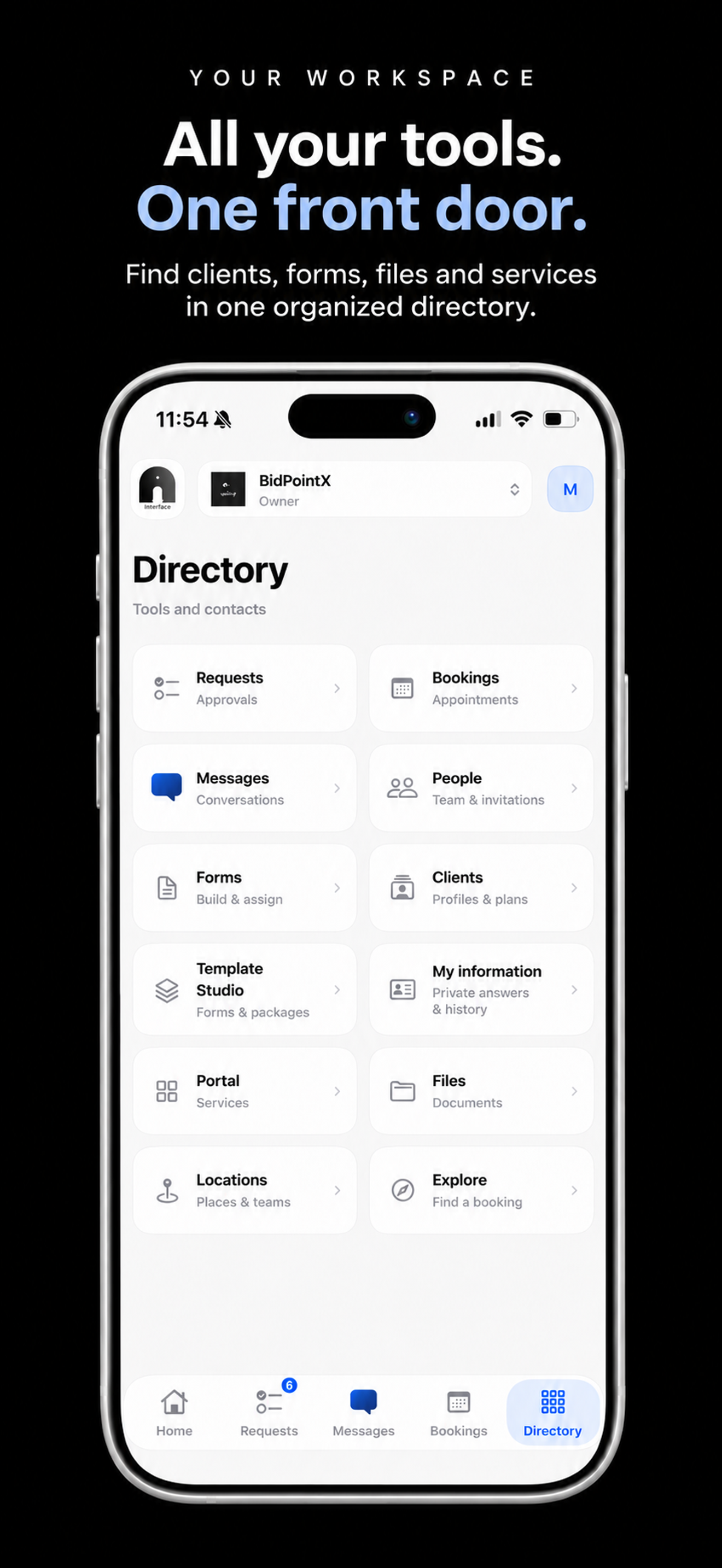
The Directory gives the rest of the workspace an obvious address. Requests, Bookings, Messages, People, Forms, Clients, Template Studio, Portal, Files and Locations are gathered under straightforward labels, with access based on roles and permissions.
Clients takes you to profiles and plans. Forms is where you build and assign forms. Files contains, reassuringly, files.
Template Studio adds a useful layer for work you repeat. You can build and publish forms, then assemble packages with forms, service items, resources and plans. For a new client, that might mean an intake form, a welcome guide and a service plan packaged together.
When you assign a published package, its forms become real requests and its plans become active client work. Form and plan progress follows the linked records as that work gets completed.
Later, you can improve the package for your next client. Existing assignments retain the version they received, so a tidy-up today does not quietly change what you gave someone last month.
The company portal gives invited clients somewhere to participate in their own requests, documents and conversations. The Directory gives your team a route to the tools behind that experience.
Let the Rest of the Business Back You Up
Your clients may never ask about your review workflow or scheduling buffers. They will care that you have an answer, that their appointment makes sense and that you remember what they came for.
InterFace puts the work behind those moments within reach.
You can be charming in the meeting. It helps when the rest of the business can back you up.