

Introducing InterFace by BidPointX. A proper place for client forms, files, bookings, and the work that happens after someone hits “send.”
Somewhere in an email chain, there’s a perfectly good document that someone is about to ask for again.
The client sent it. Someone downloaded it. Someone else needs to approve it. Unfortunately, that person joined a different thread, and now three people are searching their inbox while a fourth types “just following up.”
An impressive amount of administration for a PDF.
We built InterFace by BidPointX to give that work somewhere better to happen: a company-branded client portal where requests, documents, reviews, appointments, and conversations have a place people can actually find. Customers participate in your workspace without having to start a paid company account of their own.
The idea is straightforward. Your customer should know what you need from them. Your team should know who handles it next. Neither should need to reconstruct the situation from Tuesday’s correspondence.
Give your clients somewhere to go
A client portal should answer a few basic questions: What do I need to complete? Where do I upload this? Has anyone reviewed it? Who do I contact?
InterFace gives customers a branded place to open their requests, provide information, access shared documents, and message your company. Their view is specific to their access. Your internal notes and other customers’ records don’t become public just because you’ve made the front door look nice.
And setting it up doesn’t have to become your next side project.
Start with a portal template that includes editable forms and review routes. Choose the people responsible for those requests, add your branding, adjust the wording, and preview the customer experience before publishing. You can change the questions and the process to fit the way your business works.
We’ve also put care into the interface itself. Clear layouts, readable information, and considered controls belong in business software. You’re allowed to enjoy looking at something you use for work.
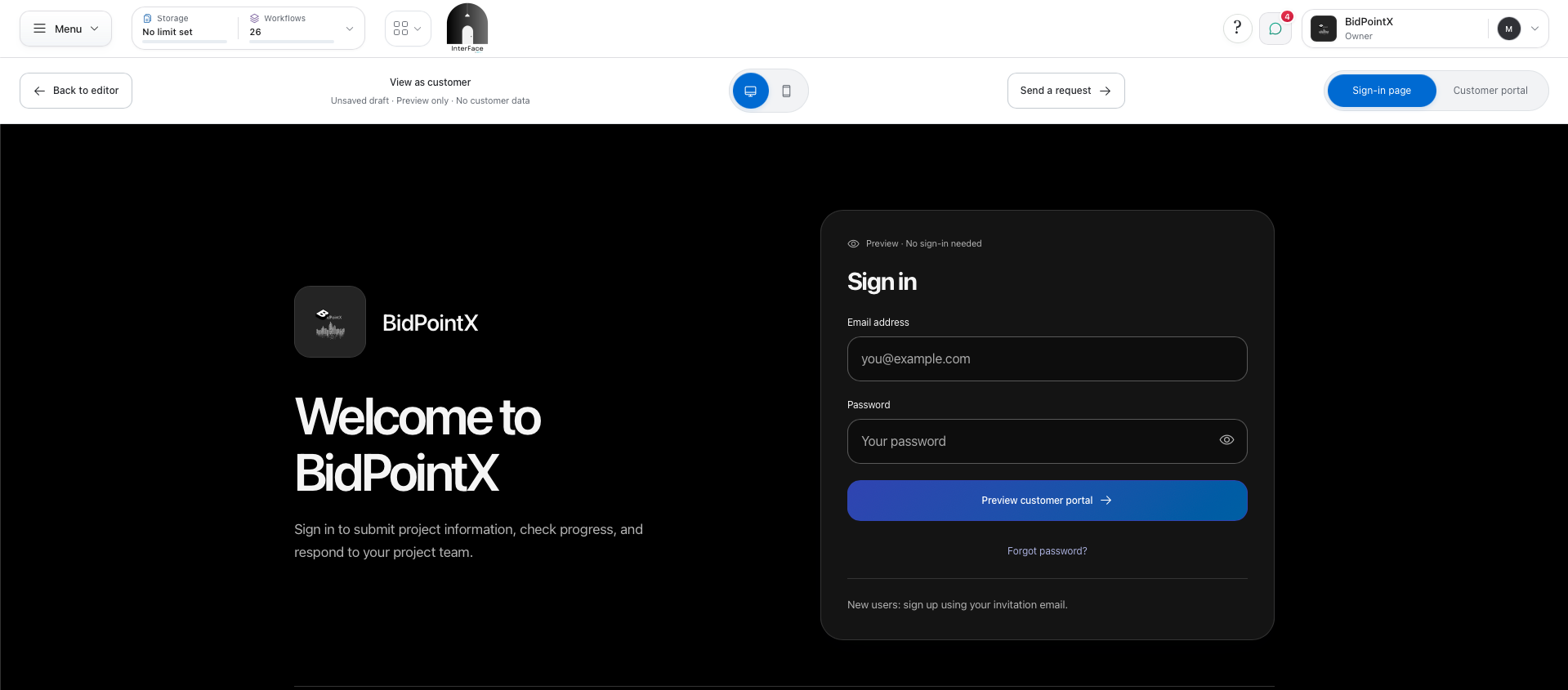
A fully customizable customer/client portal, automatically optimized for mobile and the web. Use the iOS app to continue working when you’re not in office.
Copying someone on an email is not assigning the work
It feels like it should count. Their name is right there.
But being included in a conversation doesn’t necessarily tell someone what they’re responsible for, what they’re reviewing, or whether anybody else needs to approve it.
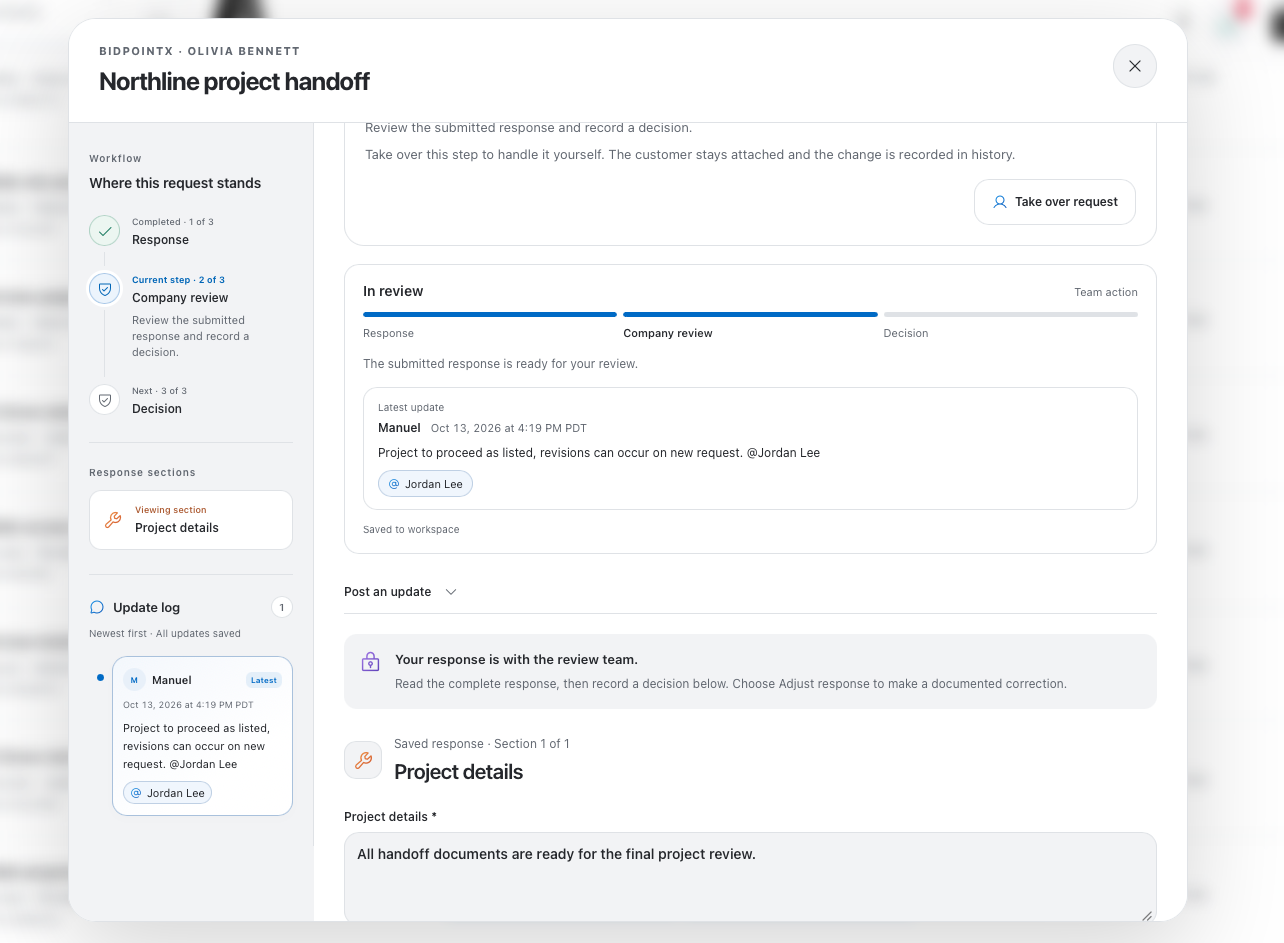
In InterFace, you can assign people to individual review steps. Choose Anyone when one reviewer can complete the step, or Everyone when all assigned reviewers need to weigh in. You can also include a customer step when the request needs to go back to the original recipient.
There’s useful context around the appointment, too. Account bookings can open a continuing conversation with the customer, assigned employee, and booking administrators. Repeat visits with the same employee can use that existing thread.
For pet-service businesses, selected pet profiles and approved care information can be saved with the appointment. A groomer can receive the relevant details for the visit instead of starting with another disconnected message.
Consider a vendor application. The coordinator checks the details, the vendor supplies a missing document, and the manager records the final decision. That progression can happen within the request instead of becoming a collection of forwarded messages.
Need a correction? Return the request with an explanation. The customer sees what needs attention and can respond in the same place. Your team can post an update without changing the customer’s answers or the decision. Earlier responses and signing records remain available when a signed response needs another review.
The customer gets something more useful than silence. Your team gets something more useful than another person copied on the thread.
Your information doesn’t become new because another company asks for it
Enter your name. Enter your phone number. Find that document. Upload it again.
A new business relationship can come with a surprising amount of familiar typing.
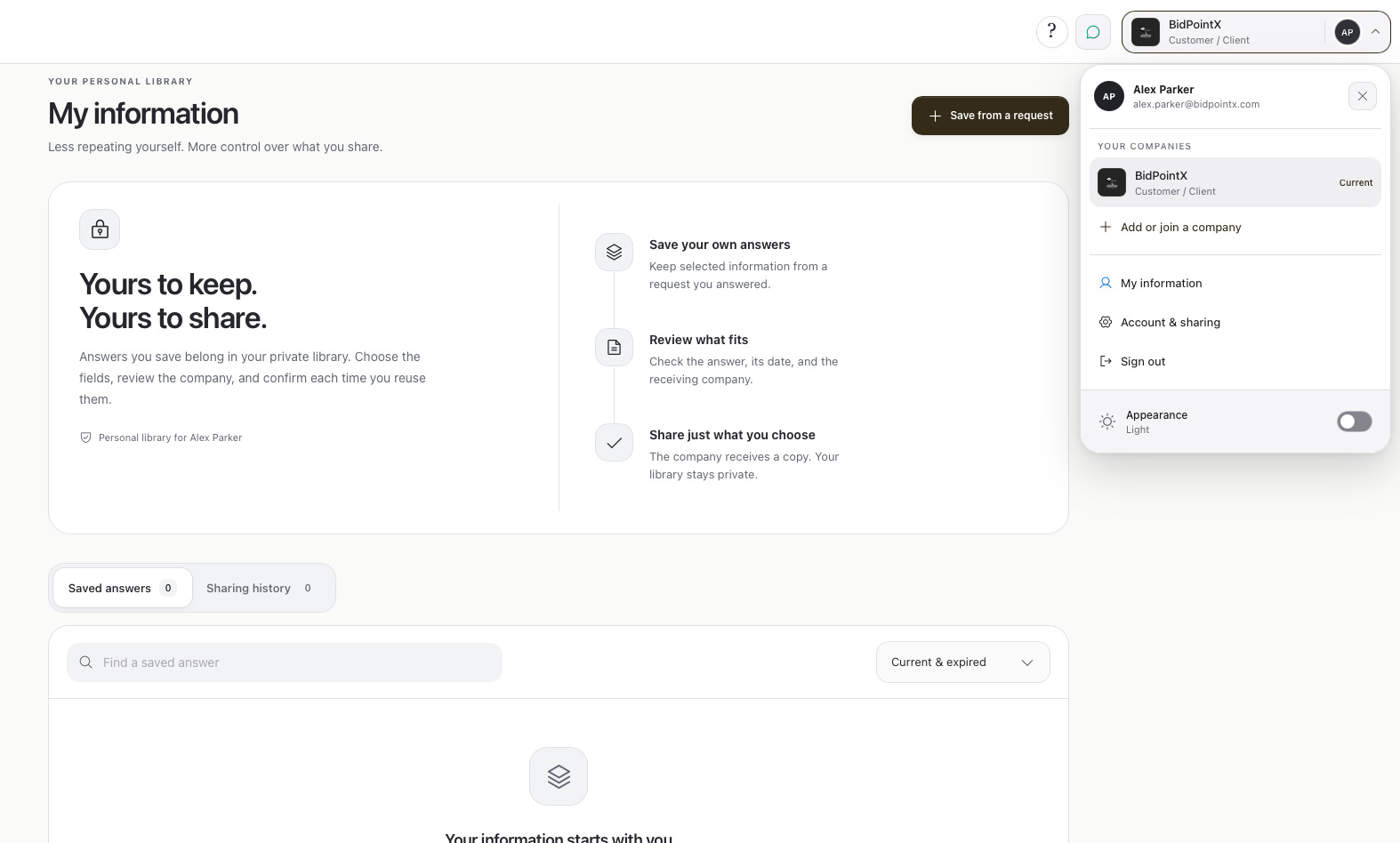
InterFace lets customers save selected eligible answers and files in My information. When another participating company requests compatible information, the customer can use the same InterFace account to review and reuse what they’ve already saved. A different company domain may still require sign-in, but it doesn’t require a completely separate identity and information collection.
The important part is the customer’s choice.
They see the receiving company, check the answers and documents, and select what to copy. The information goes into a draft request for review before submission. The receiving company gets its own copy, not access to the customer’s entire private library or history with other businesses.
Less repeated data entry shouldn’t require giving up control of the data.
That’s the point of building information reuse into the customer experience, rather than treating every form as the first time you’ve ever used a keyboard.
Tuesday at two shouldn’t take six emails
Appointments introduce another familiar exchange: which service, which person, which location, which time, and whether that time is still available by the time someone replies.
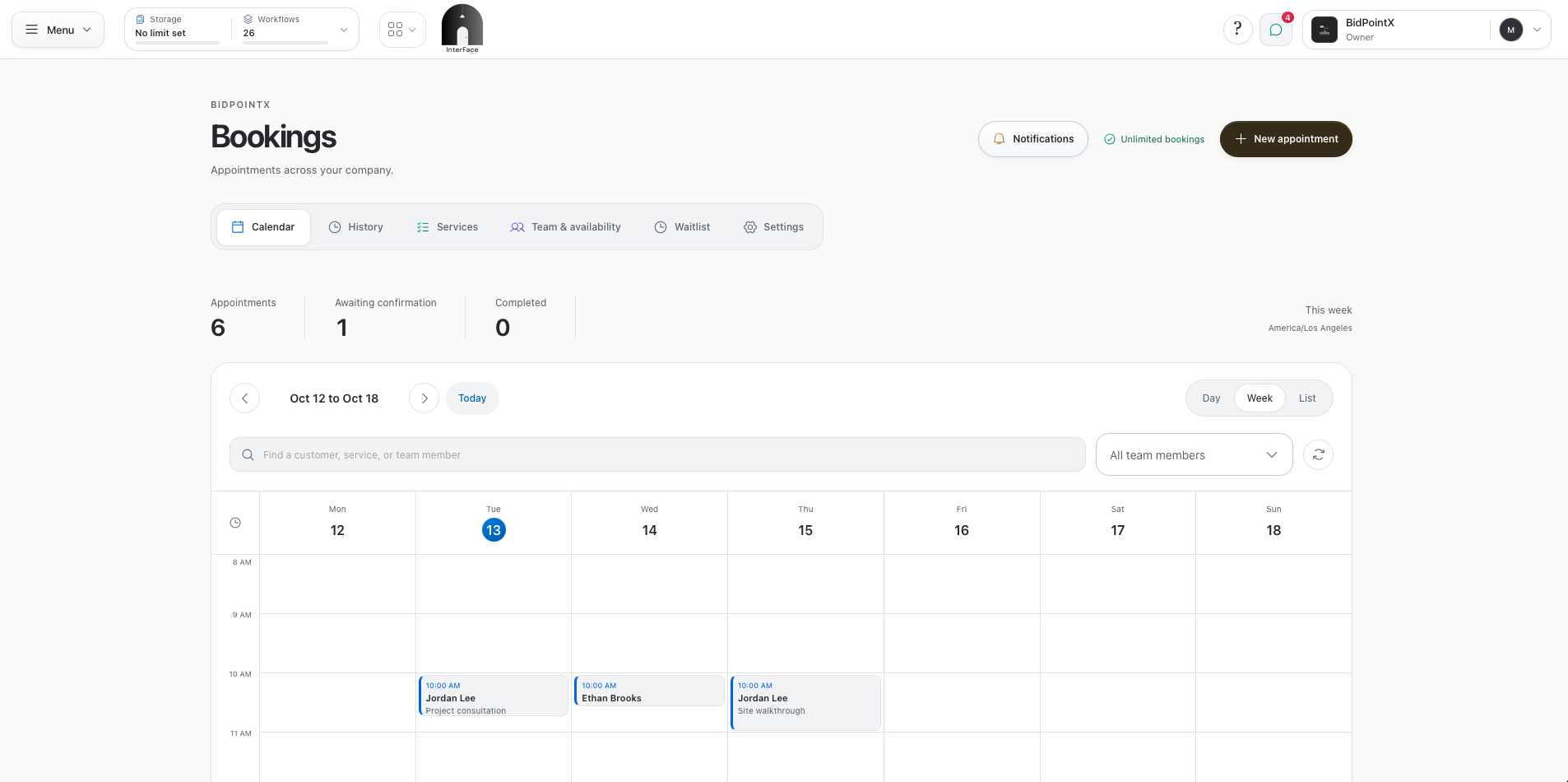
InterFace brings service selection, staff availability, locations, and appointments into the booking workflow. Businesses can manage working hours, time off, buffers between visits, and recurring appointments. Customers can review their bookings and reschedule or cancel within the company’s policies.
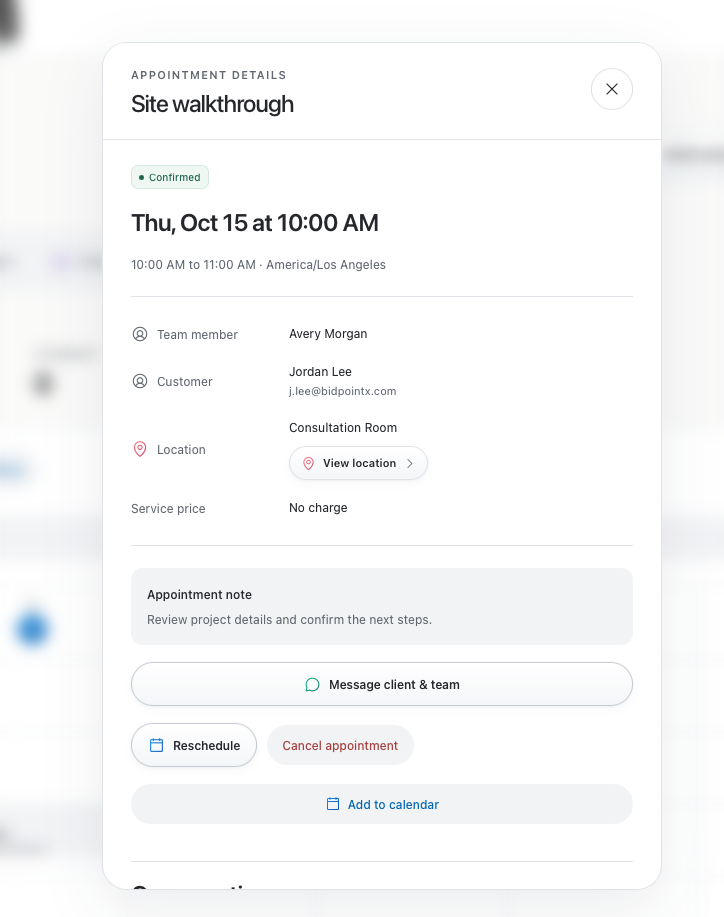
Your calendar can do more than remember that someone is coming.
Keep the form in the conversation
There will still be questions. A portal doesn’t remove the need to speak to your customers, and it shouldn’t.
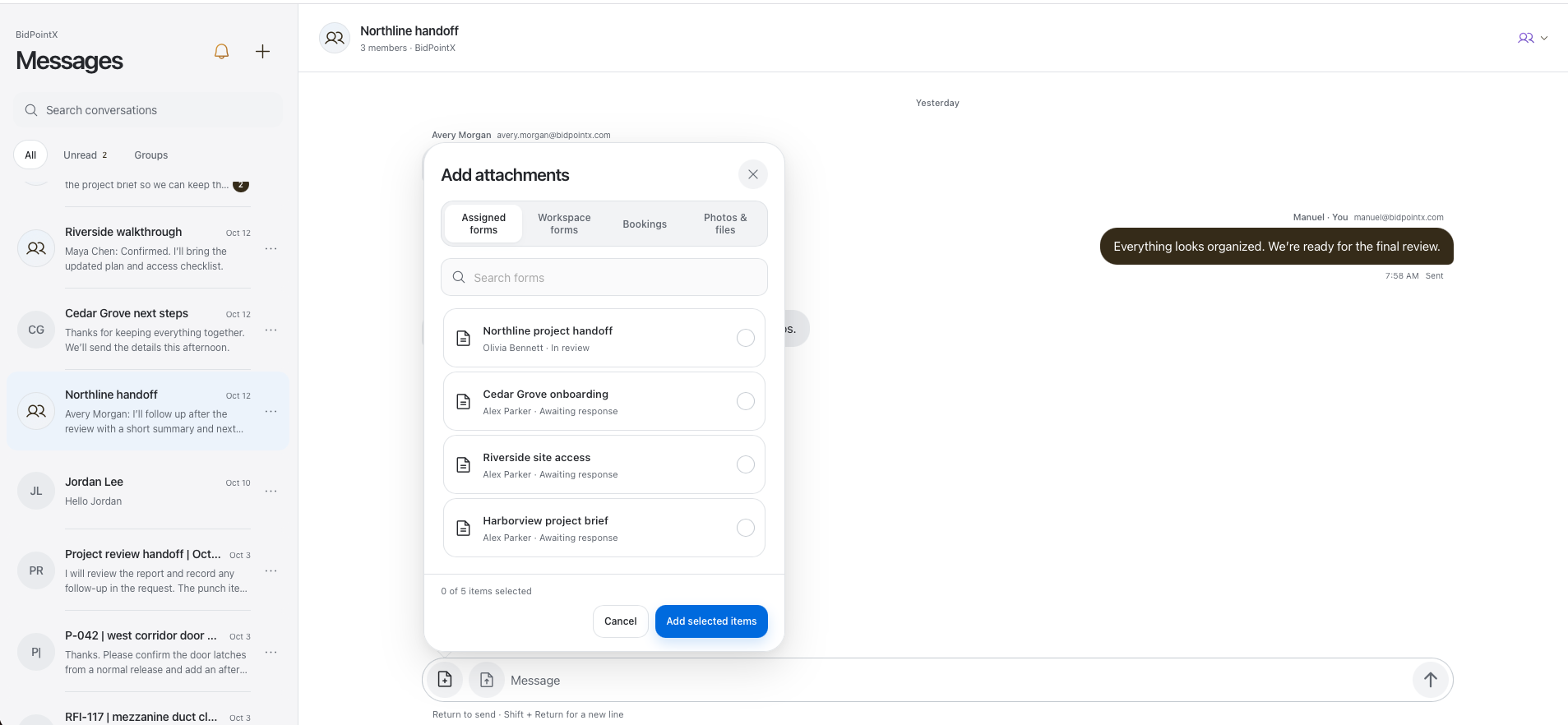
InterFace includes private conversations where authorized participants can share files and forms. A shared request card opens the actual request and refreshes its status and access. The answers stay in the request rather than being copied into the chat for everyone to sort through.
That gives a message such as “Can you update this?” something useful attached to it.
The customer can open the request, make the required change, and continue the conversation without another round of “Which form?”
Bring the people the work needs
InterFace’s plans are based on published workflows and storage rather than a charge for each person participating. One published reusable process counts as one workflow; its individual submissions don’t each consume another workflow slot. Bookings are included across all plans.
That reflects how we think business software should work. Bringing someone into the process should help move the work forward.
Start with something your team already handles every week: client intake, vendor information, a document review, or appointments. Give it a clear place, a responsible person, and a next step that the customer can see.
Email can still let someone know there’s an update. It doesn’t need to be where the entire process lives.
Meet InterFace by BidPointX. Your portal out of the email chain.