
Meet InvenOps by BidPointX. Inventory, equipment, jobs, and billing for businesses with better things to do than call around looking for their own stuff.
The company owns the generator. Someone remembers loading it on Tuesday, someone else thinks it came back, and now the office is calling a person who’s already halfway to the next job.
The purchase was carefully documented. Its current location is more of a group opinion.
That uncertainty tends to follow the work. Materials leave the warehouse, equipment changes jobs, someone adds another task, and the person preparing the invoice gets to piece everything together afterward. Usually by contacting people who are now busy doing something else.
We built InvenOps by BidPointX to keep the equipment, inventory, field work, and billing connected. It gives the office and the crew a shared record of what’s assigned, what’s happening, and what needs attention, with access appropriate to each person’s role.
You’ve already paid for the equipment. Finding out what it’s doing shouldn’t become another job.
Owning it doesn’t mean it’s available
Having ten of something sounds reassuring until six are allocated, three are needed elsewhere, and the last one is the reason somebody opened the inventory list.
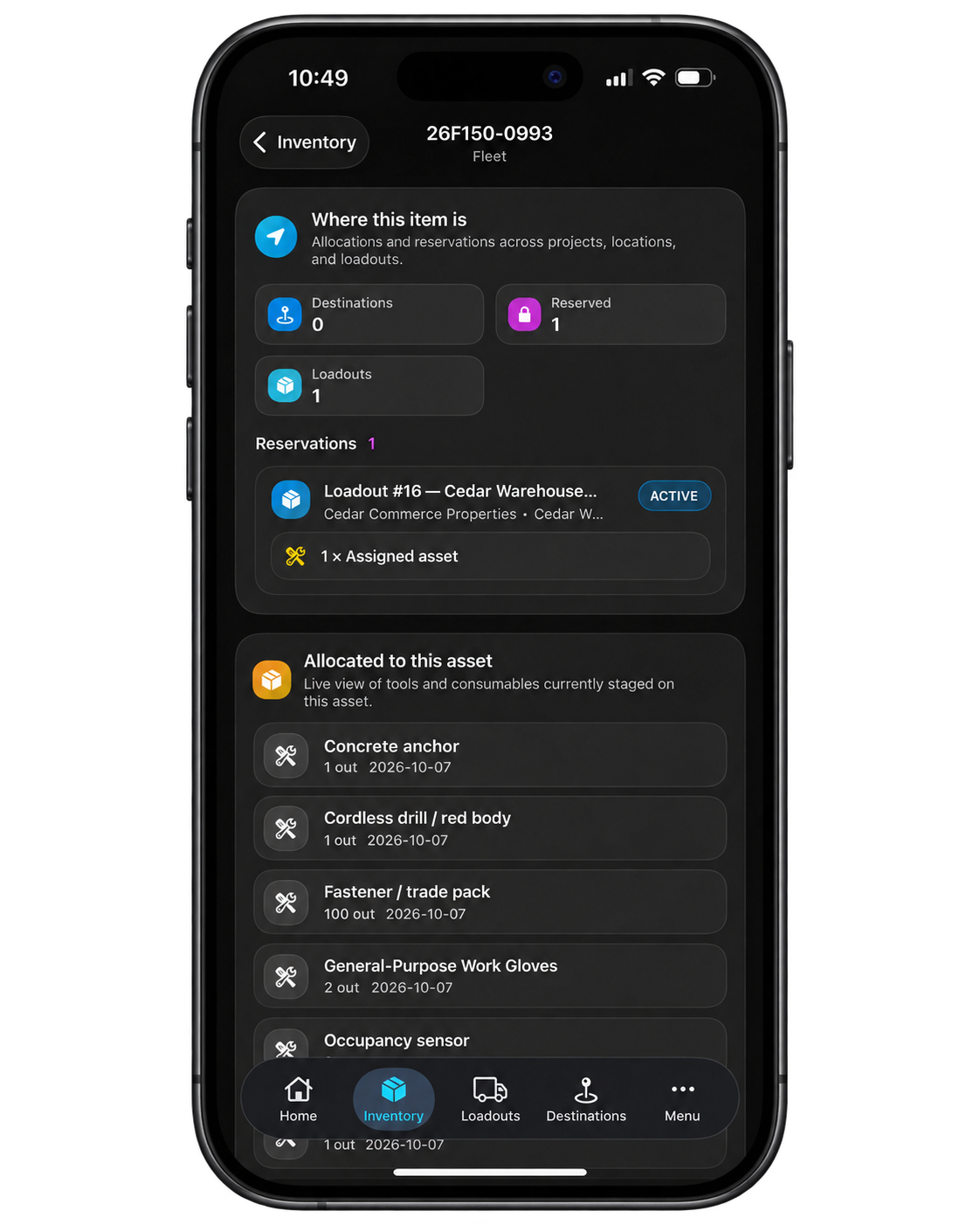
InvenOps keeps on-hand quantities and availability visible alongside the assignments that affect them. Items can be allocated to locations, projects, customers, and other assets, with transfers and returns recorded as things move. That gives the next person preparing a job more to work with than the quantity originally purchased.
The mobile scan workflow goes further. Open an item and see its active allocations, the Loadouts it’s connected to, transactions still in progress, open purchase orders, and relevant allocation billing. The record gives you context about the item instead of simply confirming that its barcode exists.
That matters when somebody is about to order another one. There’s a useful difference between needing more equipment and needing to find the equipment you already own.
A job needs more than an address
An address tells the crew where to go. It does very little to explain what they’re supposed to bring.
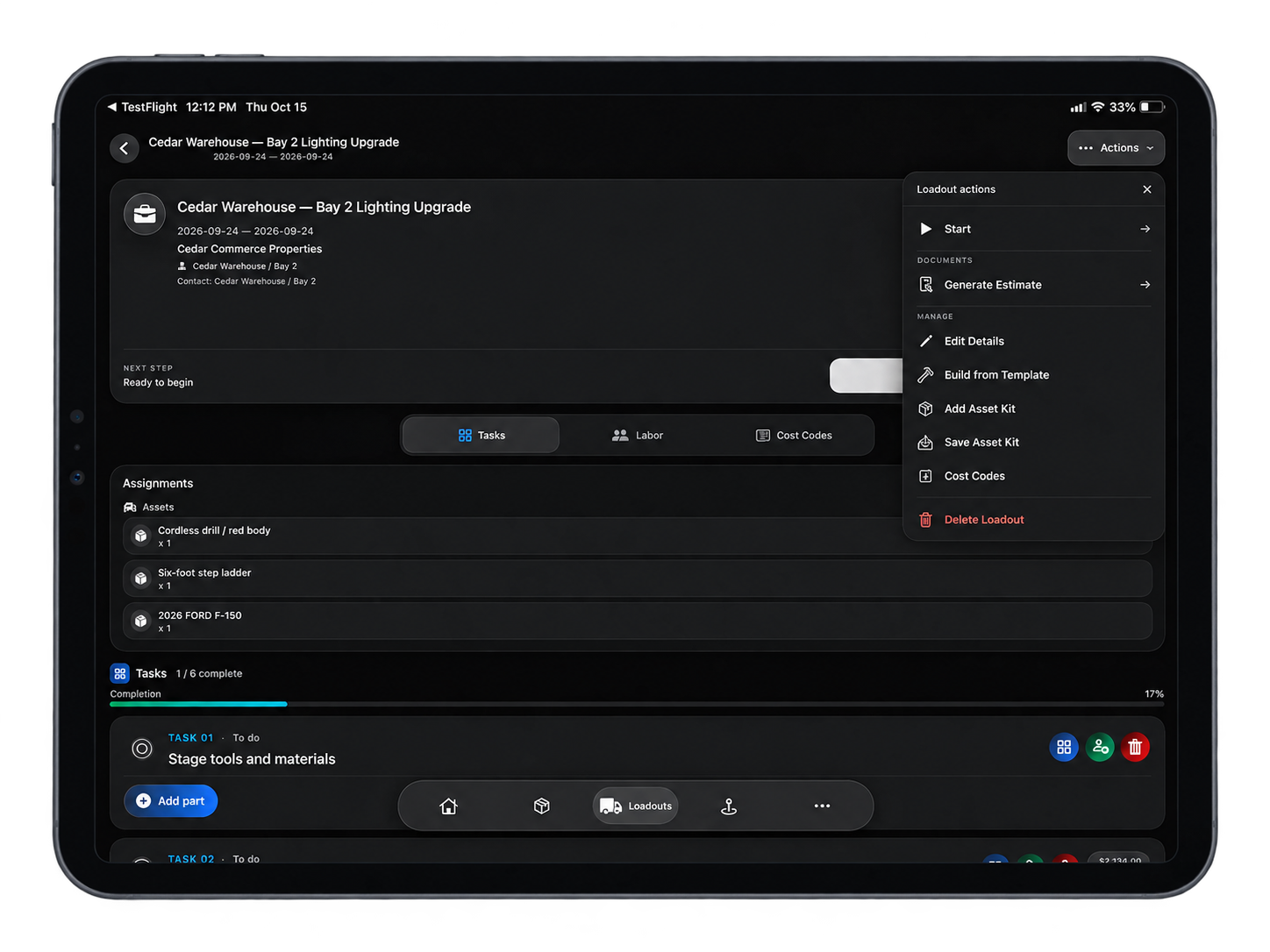
In InvenOps, a Loadout brings the job’s resources and work together: equipment, inventory, tasks, labor, dates, and the notes and photos needed to understand what’s happening. The field can contribute to the job record instead of leaving the office to collect the details later.
Consider a maintenance visit. The work might need a particular piece of equipment, replacement parts, two people, and a sequence of tasks. Keeping those details together makes the job easier to prepare and gives the people reviewing it something more useful than a calendar entry called “maintenance.”
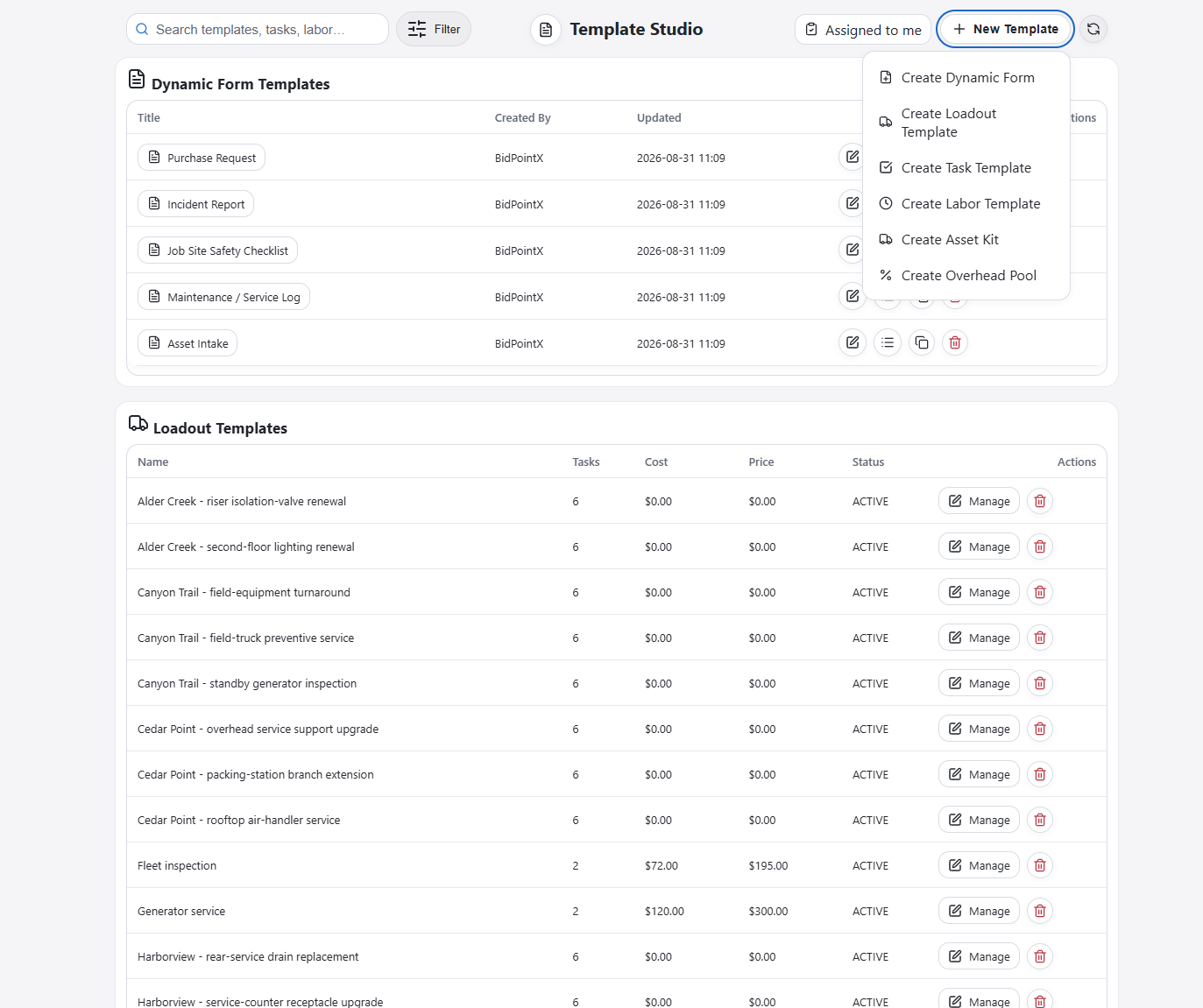
Repeat work gets a proper starting point, too. Loadout templates can hold the standard tasks, parts, labor calculations, and equipment assignments. Labor includes workers, hours, and cost and selling rates, while template-level equipment and inventory can sit separately from the parts billed through individual tasks.
You can prepare the usual setup, apply it to the next job, and review what’s different about this visit.
Doing the same work regularly should build up useful knowledge. It shouldn’t just make you faster at entering it again.
The office doesn’t need to ride along on speakerphone
A busy morning can turn dispatch into a running conversation: which stop comes first, who has access, what changed, and whether anybody told the person who’s driving.
InvenOps lets the office set the assigned order for an employee’s day. That order appears in My Loadouts on web and iOS, giving the employee a working queue they can open and follow.
There’s room for the day to behave like an actual day. A locked gate or urgent call can change the sequence. Opening a later job asks for a reason and provides an action to notify the administrator, keeping the exception connected to the work.
The crew can get on with the next stop, and the office has an explanation that doesn’t depend on catching someone between phone calls.
An invoice total isn’t what you made
A healthy-looking invoice can become less impressive once the labor, materials, and overhead have all introduced themselves.
InvenOps brings recorded job costs and selling amounts into view, with labor, materials, overhead, profit, and margin available for review. The point is to understand the work commercially while the relevant information is still attached to it.
Leaving a cost out of the job record has never been a particularly effective way of avoiding it.
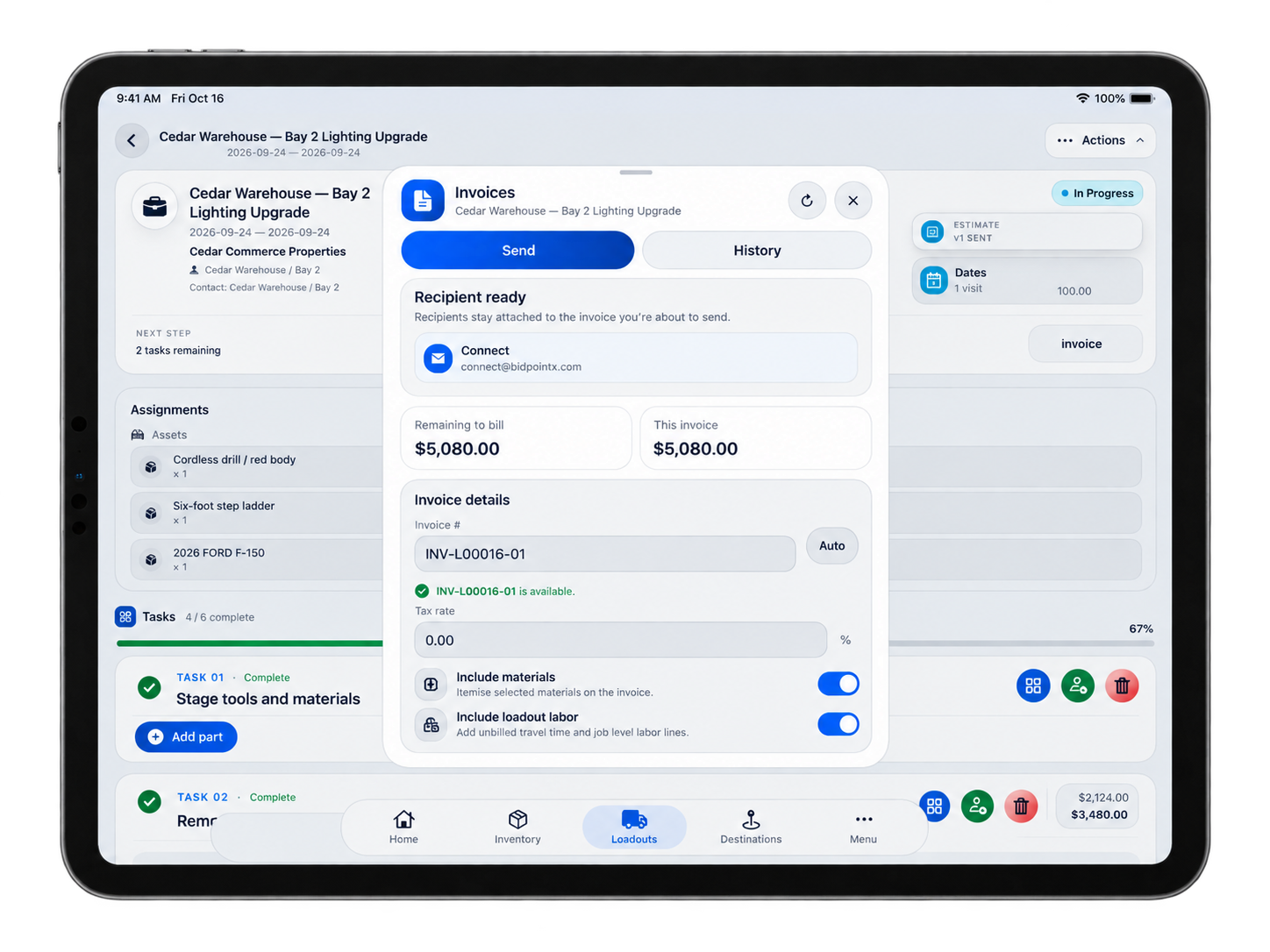
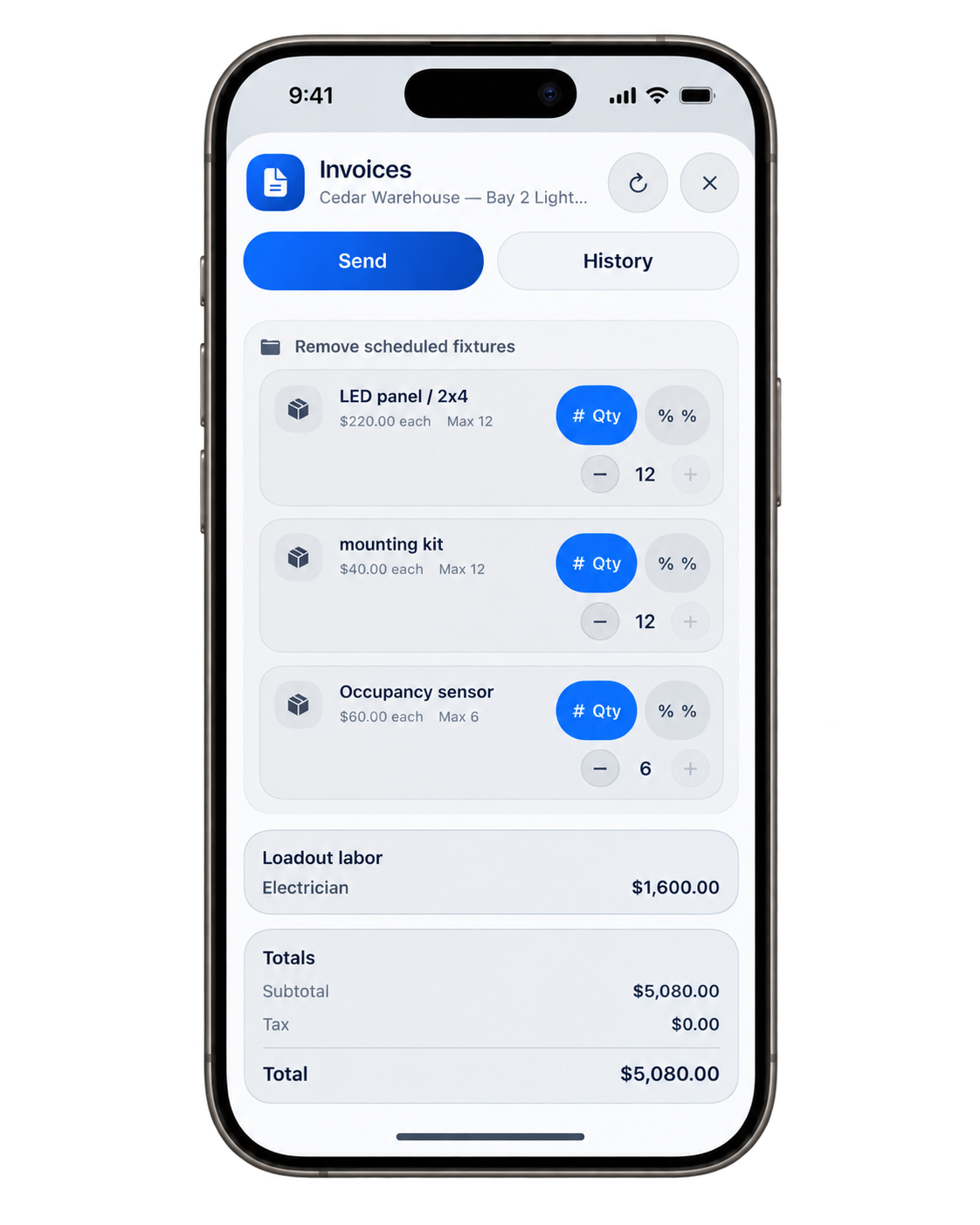
Billing can follow the work as it progresses. Completed, eligible scope can be selected for a partial invoice while the wider job continues. The billing process tracks what has been billed and what remains to bill, so another visit doesn’t require another exercise in remembering which parts were already included.
There’s a review step for inventory completion as well. The completion preview shows the quantities due to be committed, giving the office an opportunity to reconcile the plan and recorded usage before finishing the Loadout.
And additional work after a paid job can be handled through a revision, with new billing against that revision rather than rewriting the paid original. Resending an existing invoice is a separate action.
A customer asking for one more thing is ordinary business. Losing track of what changed doesn’t have to be.
That truck is paid off. The repairs seem unaware.
“It’s paid off” is a comforting thing to say about a vehicle that continues to submit requests for money.
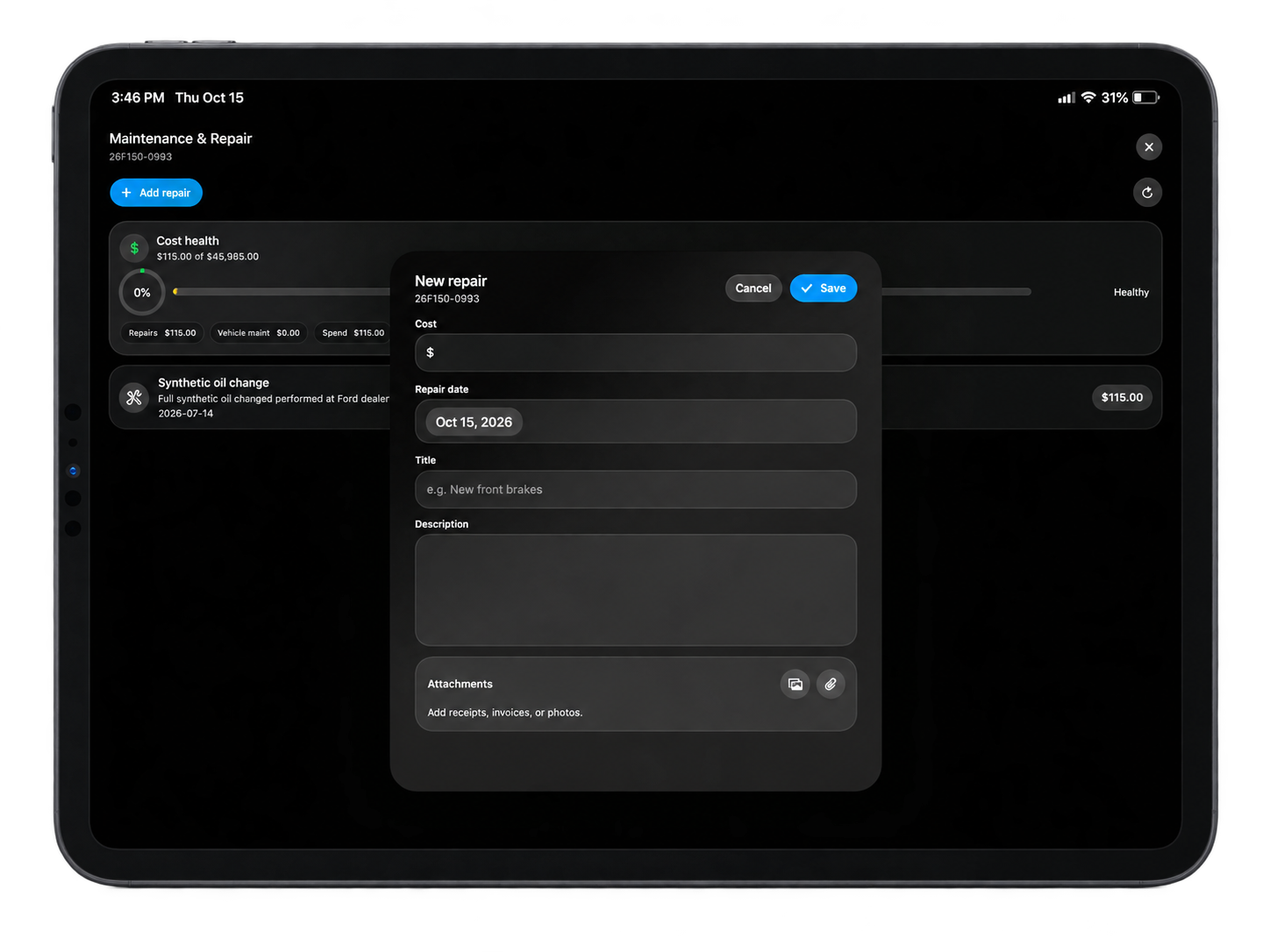
InvenOps keeps asset information and maintenance spending available for review. Cost Health brings together recorded service and repair costs and compares them with the asset cost. Associated billing and Loadout information provide more context about the work tied to that equipment.
The next repair can be considered alongside the previous ones, rather than becoming another isolated invoice.
Vehicle service reports also support approval thresholds. A positive service cost above the configured auto-approval limit is routed into review, with its approval state and reason retained in the record.
The decision still belongs to the business. InvenOps gives that decision a history and some numbers, which is a better starting point than remembering that the truck was “fine for ages.”
Give the crew the job details without opening the books
Getting people involved shouldn’t require choosing between withholding useful information and showing everyone the financials.
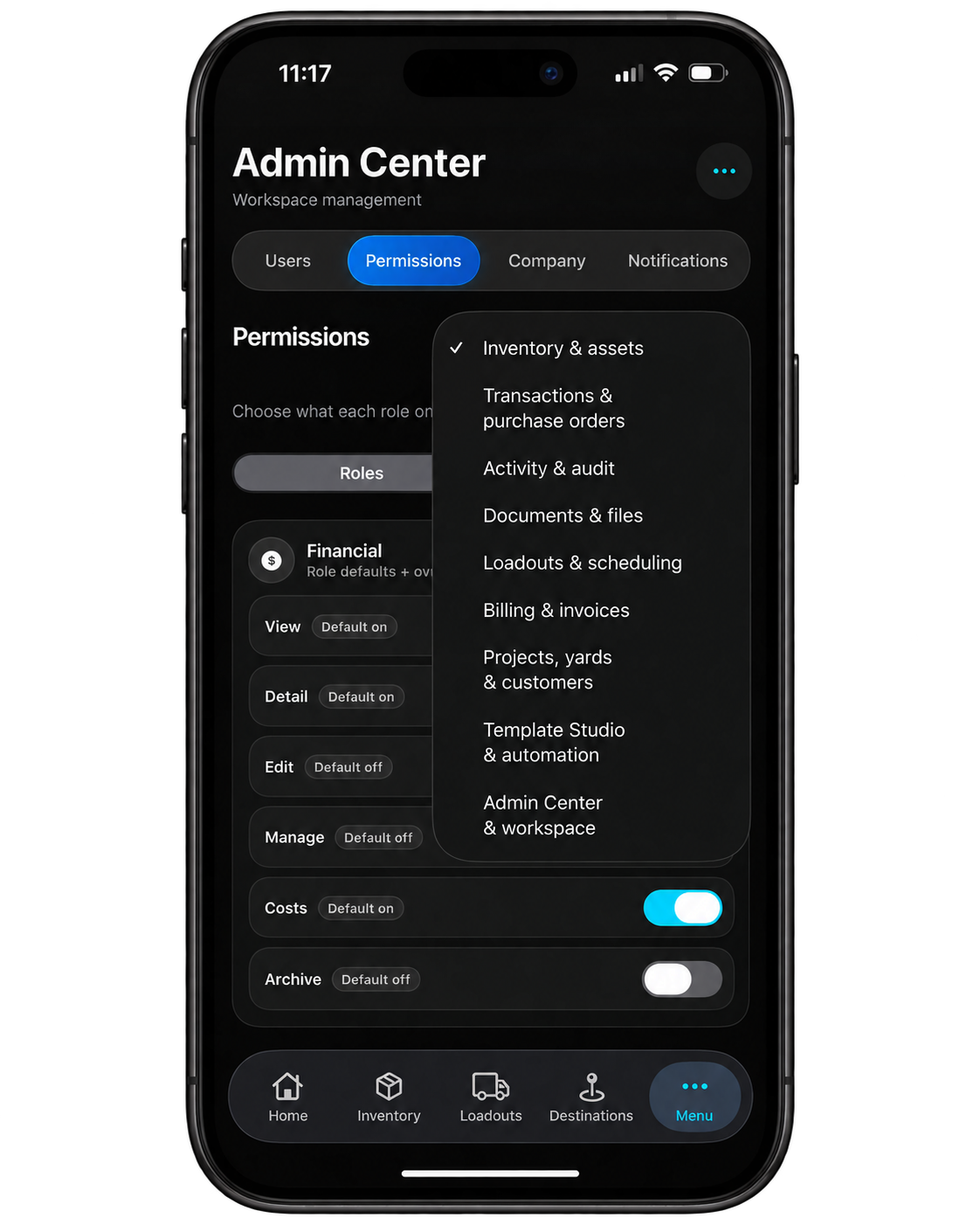
InvenOps separates operational access from financial visibility. Authorized participants can see the job information they need while costs, prices, and invoice information remain restricted according to their permissions. That separation is enforced in the relevant responses as well as the visible interface.
The person handling the equipment needs to know what’s assigned and where it’s going. That doesn’t automatically mean they need to know the margin on the job.
We’ve put care into how people use the product, too. Inventory photos help identify items, mobile views keep the work accessible away from a desk, and the job’s information stays available through the supported web and iOS workflows.
Business software should be pleasant to use. You’re spending enough time in it.
Know what’s happening without making the rounds
The equipment, the people, and the materials are all part of the same job. The information about them should be useful together.
That’s the point of InvenOps: a clearer way to prepare the work, follow it, review its costs, and handle the billing without asking everyone to remember what happened last Thursday.
The software won’t load the truck for you. It should at least make it clear what needs to go in it.
Meet InvenOps by BidPointX. Know where it is. Know where the job stands.